



What the Availability screen shows
Availability is every dated departure across all your products in one list. Here is how to read it.
Voyant Support
A product page shows the dates for that one product. Availability shows the dates for everything you sell, together.
This is the screen you open on a Monday morning to see what is running this week.
Click Availability in the left menu.
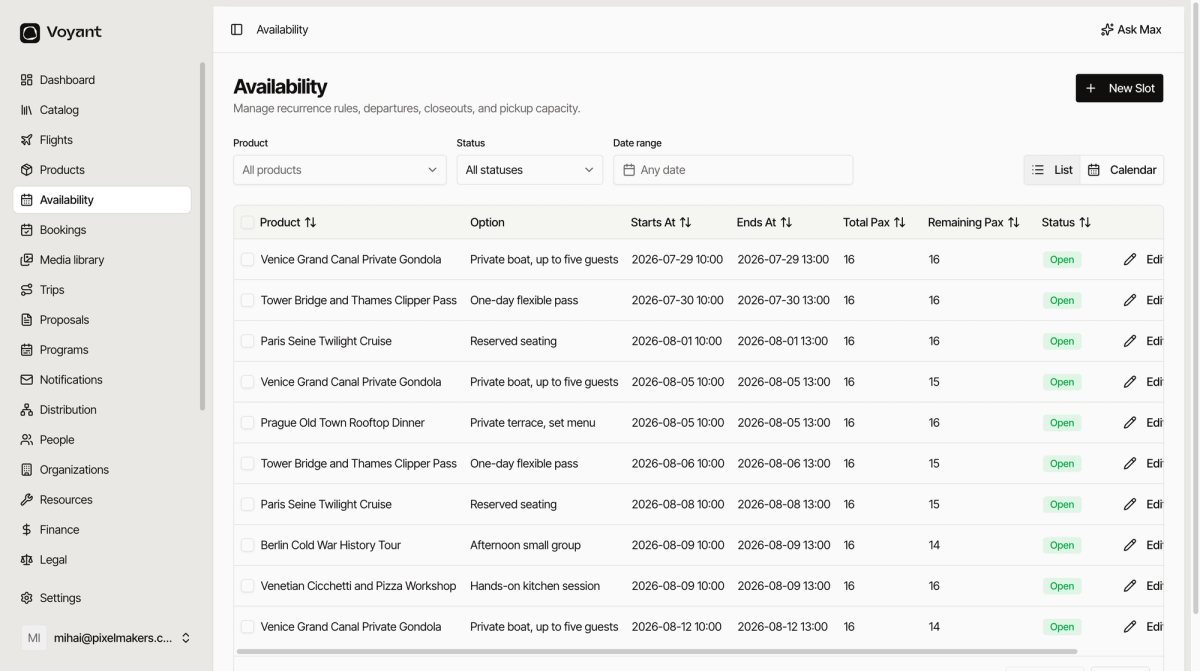
Reading a row
- Product is what is running, for example "Berlin Cold War History Tour".
- Option is the version customers picked, such as "Afternoon small group".
- Starts At and Ends At are the date and time.
- Total Pax is how many places the date started with.
- Remaining Pax is how many are still free. If it reads 14 out of 16, two people have booked.
- Status tells you whether it can still be sold.
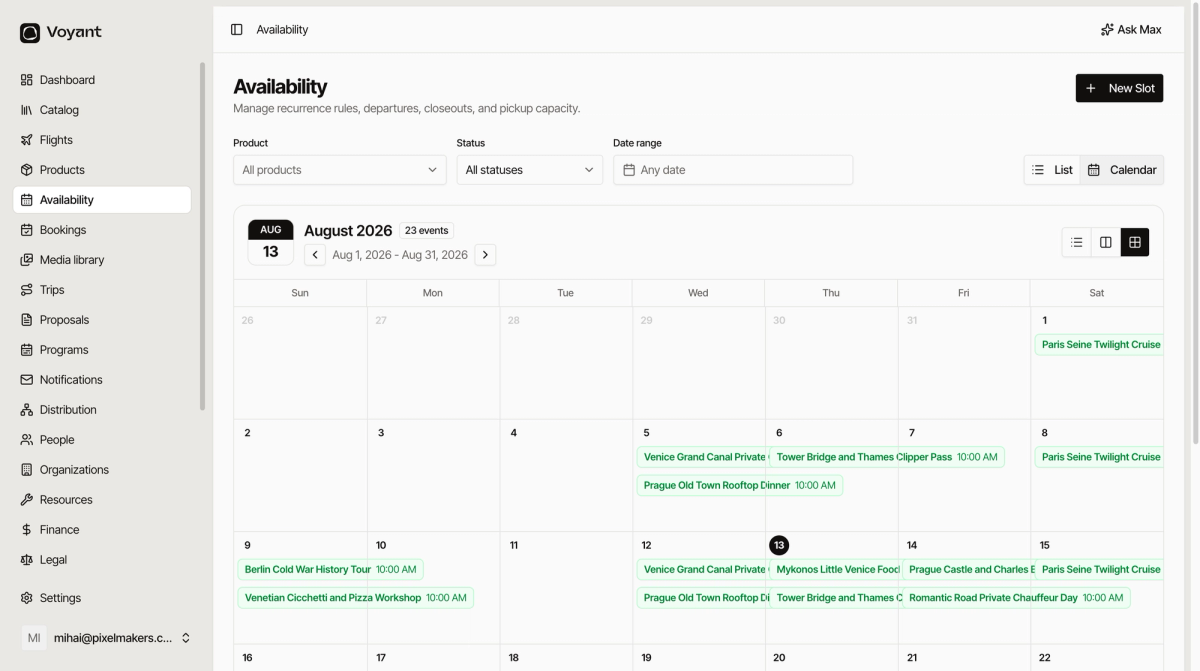
List or calendar
Use the List and Calendar buttons at the top right to switch views.
List is better for checking numbers. Calendar is better for seeing how busy a week looks.
Did this answer your question?
Thanks for your feedback.