



Sales channels
Record every route a booking can arrive by, so you can tell later where your business actually comes from.
A booking can reach you several ways: somebody buys on your website, an OTA sends one over, a hotel concierge phones it in. A channel is a name for one of those routes.
Click Settings, then Channels.
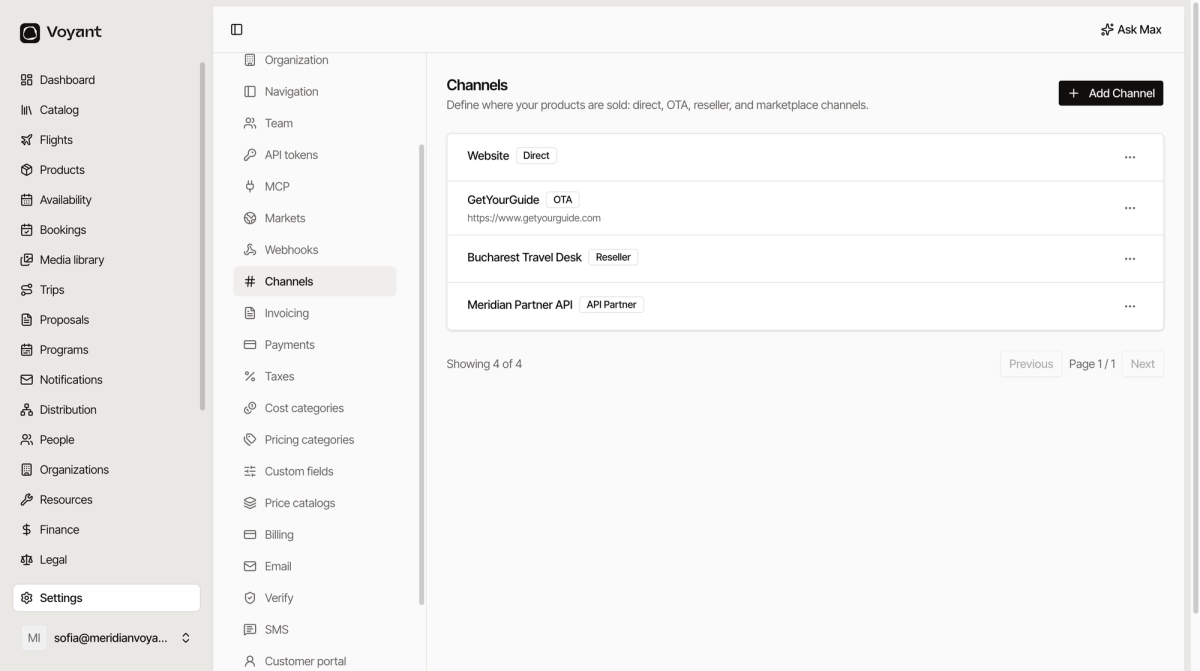
Add one
- Click Add Channel.
- Give it a Name you will recognise in a report.
- Choose the Kind.
- Add the Website, Primary Contact and Contact Email if it is somebody you deal with.
- Leave Status as Active.
- Click Create Channel.
The seven kinds
- Direct, your own website or your own staff.
- Affiliate, somebody who refers business for a cut.
- OTA, an online travel agent such as a large booking site.
- Reseller, an agency that sells your trips as their own.
- Marketplace, a platform you list on.
- API Partner, a partner whose system books through yours.
- Connect, a Voyant-to-Voyant connection.
The kind is not just a label. It is how you separate "we sold this ourselves" from "somebody sold it for us and takes a margin".
Why it is worth doing properly
Channels are what let you answer the question every operator eventually asks: is the OTA commission worth it?
Bookings record the channel they arrived through, so you can compare volume and value between them. See Reports.
One channel per commercial relationship
Resist making a channel per campaign. Make one per party you actually have an arrangement with, and use tags or promotions for campaigns.
Did this answer your question?
Thanks for your feedback.