



Selling regions and markets
A market bundles a region with its language, currency and tax rules, so a British customer and a Romanian one each get the right treatment.
Selling to somebody in Bucharest and somebody in London is not the same transaction. Different language, different currency, different VAT treatment.
A market bundles those three decisions so you set them once.
Click Settings, then Markets.
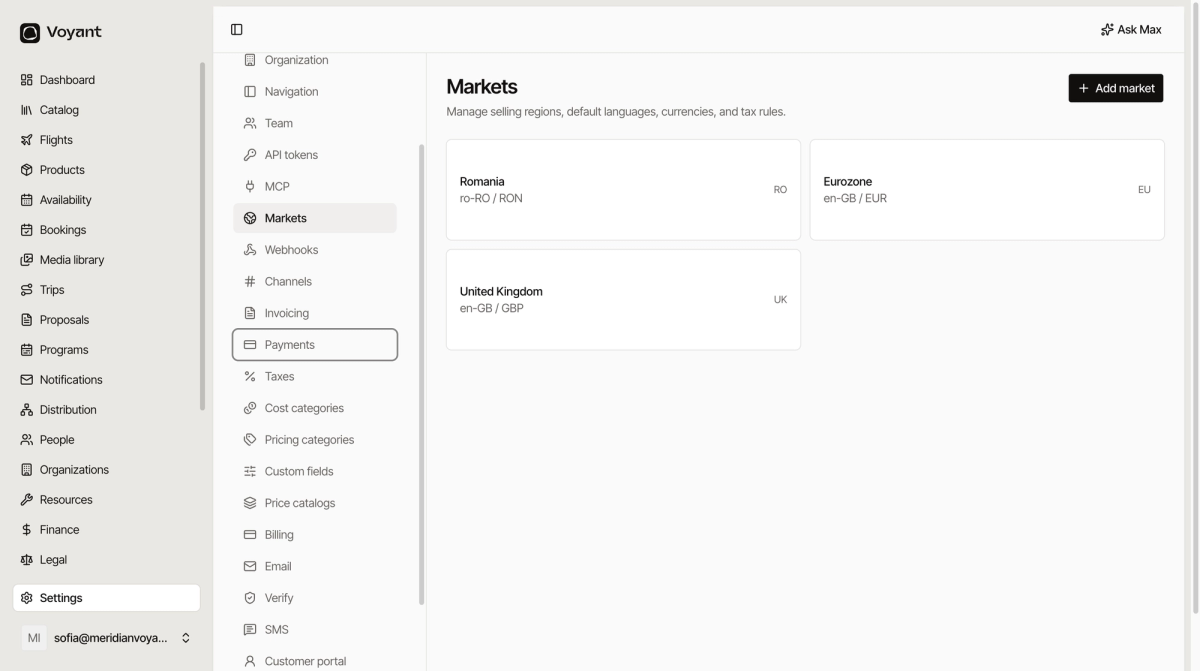
What a market holds
- A region, such as Romania, the Eurozone or the United Kingdom.
- A default language, such as
ro-ROoren-GB. - A currency, such as RON, EUR or GBP.
- The tax rules that apply there.
Add one
Click Add market, then fill in the region, language, currency and tax treatment.
One market, one currency
Notice in the example that Eurozone and United Kingdom share a language but not a currency. That is the normal shape: split by what you charge in, not by what people speak.
Markets and price catalogs work together
The market says which currency a customer is quoted in. The price catalog says what the numbers are in that currency. You need both.
See Price catalogs.
Markets and tax
Where a customer is buying from changes what tax applies. Getting the market right is what keeps VAT correct on cross-border sales.
Did this answer your question?
Thanks for your feedback.