



Notification templates
Every email and text your customers receive comes from a template. Here is what you get out of the box and how to change one.
Voyant Support
When a customer books, they get a confirmation. When a balance is due, they get a reminder. Every one of those messages comes from a template.
A template is written once and reused for every customer, with their own details filled in automatically.
Click Notifications, then Templates.
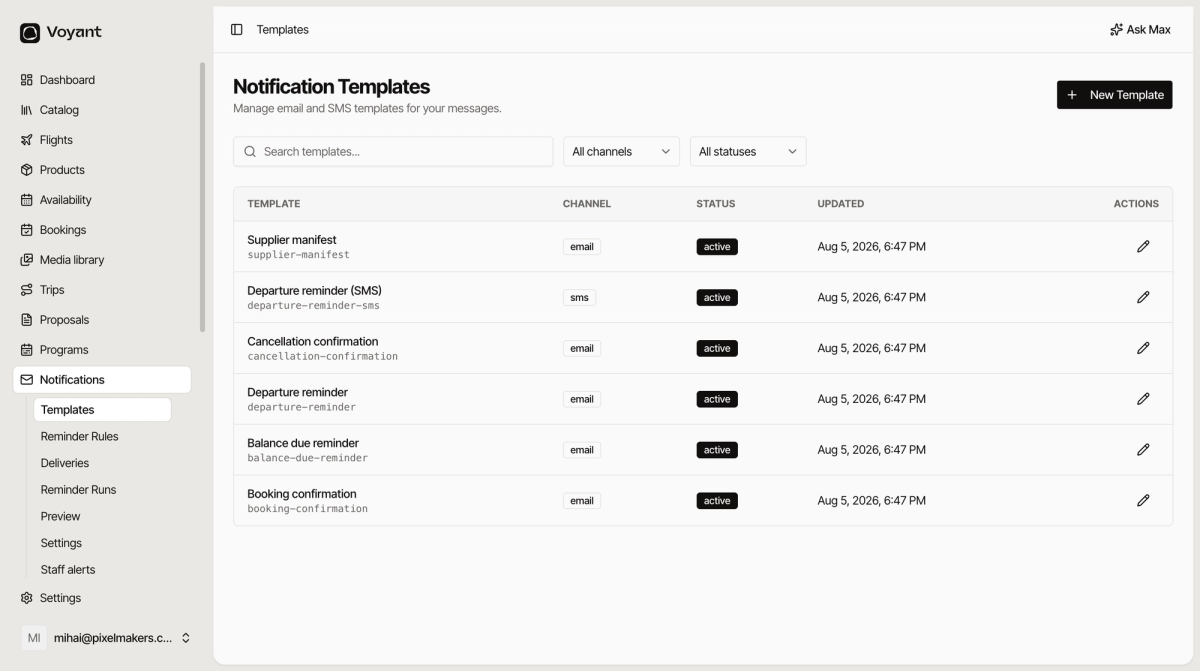
What you start with
- Booking confirmation, sent when a booking is confirmed.
- Balance due reminder, chasing the outstanding amount.
- Departure reminder, sent before travel.
- Departure reminder (SMS), the same thing as a text.
- Cancellation confirmation, sent when a booking is cancelled.
- Supplier manifest, sent to whoever is delivering the trip.
Reading the list
- Template shows the name and, underneath, the slug such as
booking-confirmation. The slug is what the system uses, so leave it alone. - Channel is email or sms.
- Status is active or draft. Only active templates send.
- Updated is when it last changed.
Use the search box and the channel and status filters to narrow a long list.
Open one
Click the pencil on a row. The template page has three tabs: Overview, Preview and Recent deliveries.
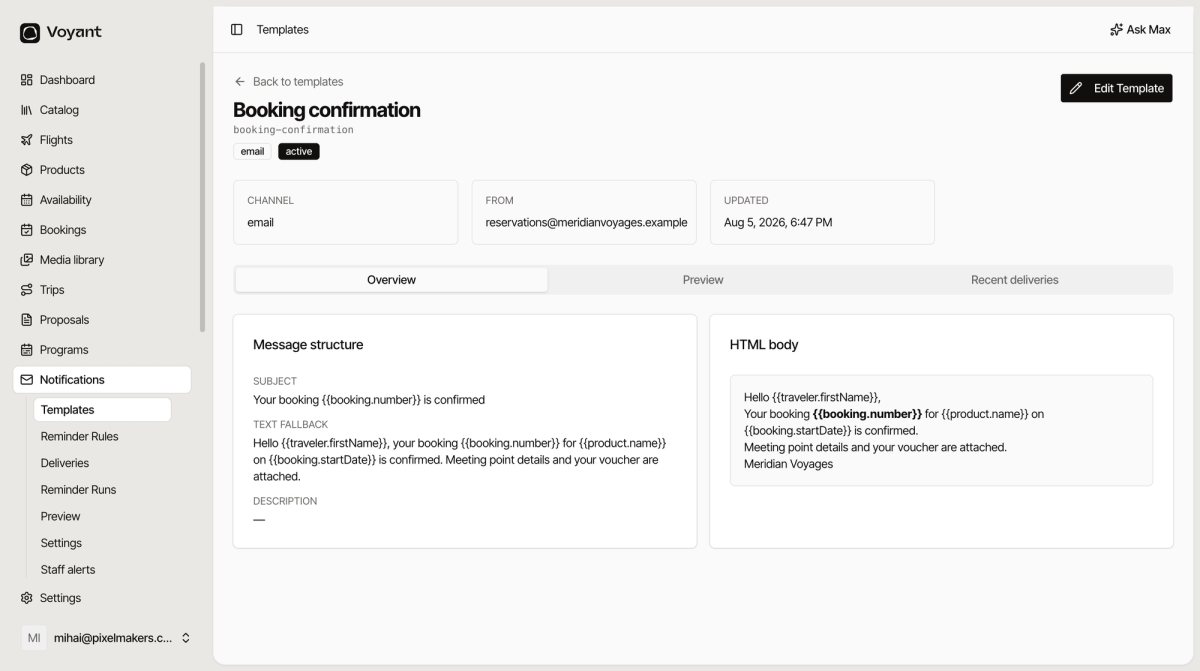
The parts of a template
- Subject, the email subject line.
- HTML body, the formatted message most people will see.
- Text fallback, a plain version for email clients that cannot show HTML. Worth keeping in step with the HTML.
- From, the address it is sent from.
- Description, an internal note about what the template is for.
Click Edit Template to change any of it.
Did this answer your question?
Thanks for your feedback.