



Booking options and who pays what
Options are the choices a customer makes. Traveler types are what each kind of person pays. Together they cover almost all pricing.
Voyant Support
Pricing in Voyant has two layers. Once you see the difference, the rest is easy.
Options are what the customer chooses
An option is a version of the same product. One walking tour might offer:
- English guided
- German guided
- Private group
Same tour, same dates, three choices. Use options rather than creating three separate products, so your dates and capacity stay in one place.
Add one with Add option on the product page.
Traveler types are who is going
Inside each option you say what each kind of person pays. This is the Who pays what table.
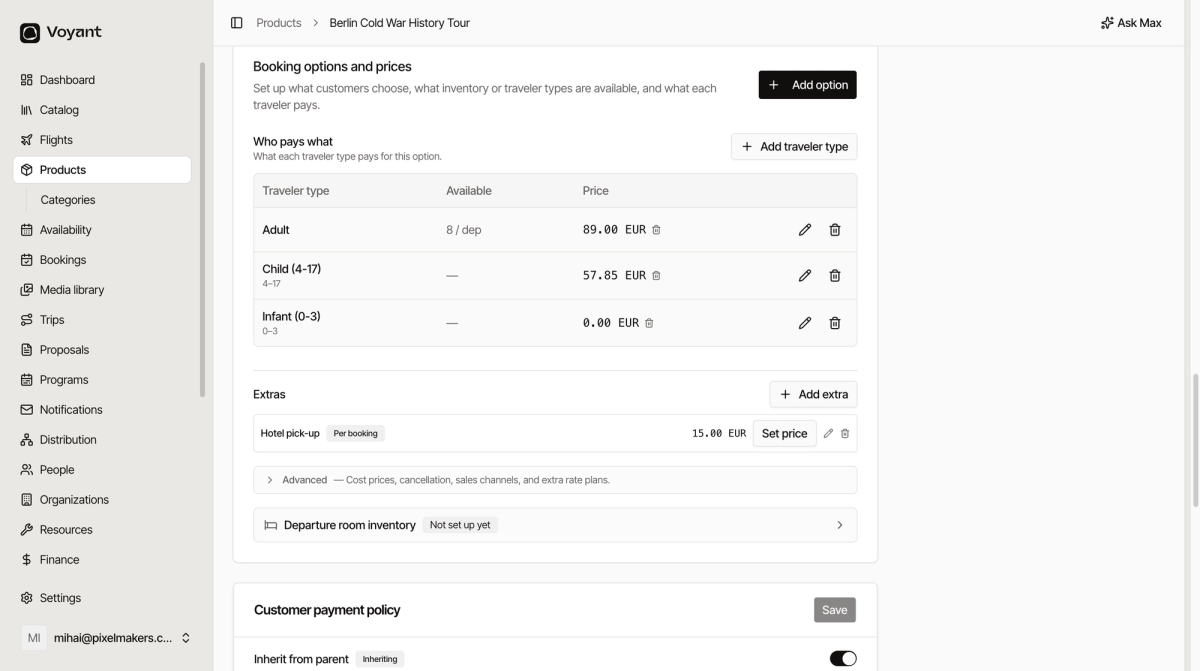
A common set is:
- Adult, full price.
- Child with an age range such as 4 to 17, reduced price.
- Infant aged 0 to 3, priced at zero.
Add a traveler type
- Open the product and scroll to Booking options and prices.
- Click Add traveler type.
- Name it, for example "Child (4-17)".
- Set the age range if it applies.
- Set the price.
- Save.
If you cannot see the table
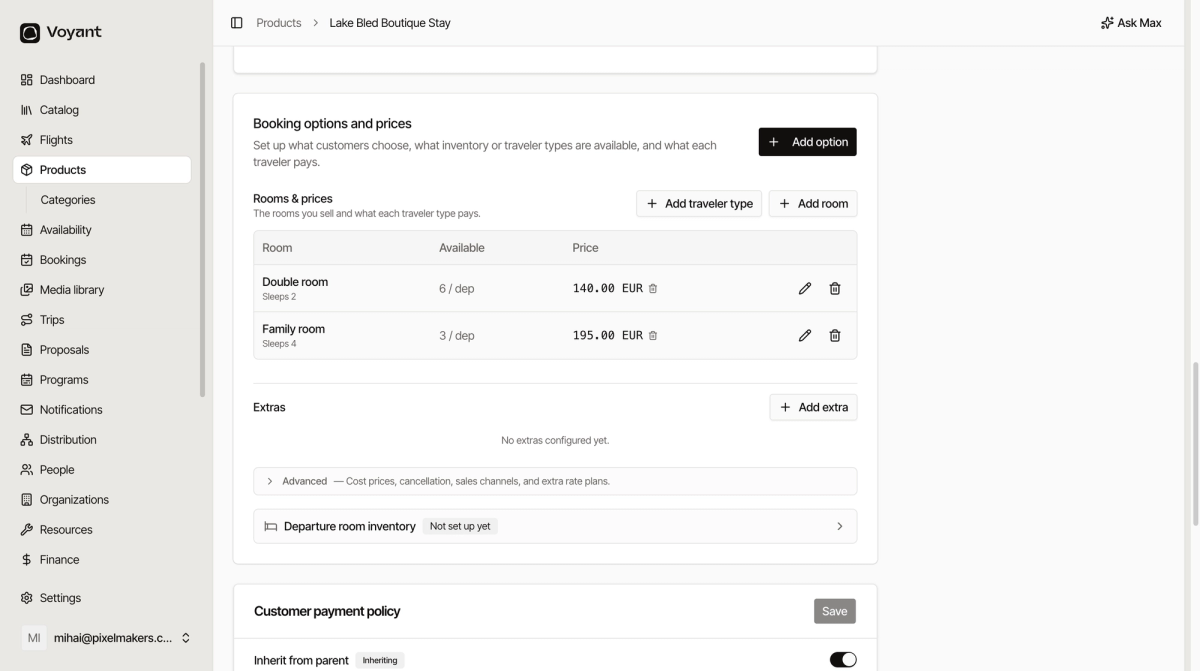
Stay products show Rooms & prices instead of Who pays what. That is expected. The booking mode decides which one you get. See Booking modes.
Did this answer your question?
Thanks for your feedback.