



Build the agenda
Sessions are the timed items that make up the event: keynotes, breakouts, meals, the gala dinner and free time.
Voyant Support
The agenda is what the delegates actually experience. Each entry is a session.
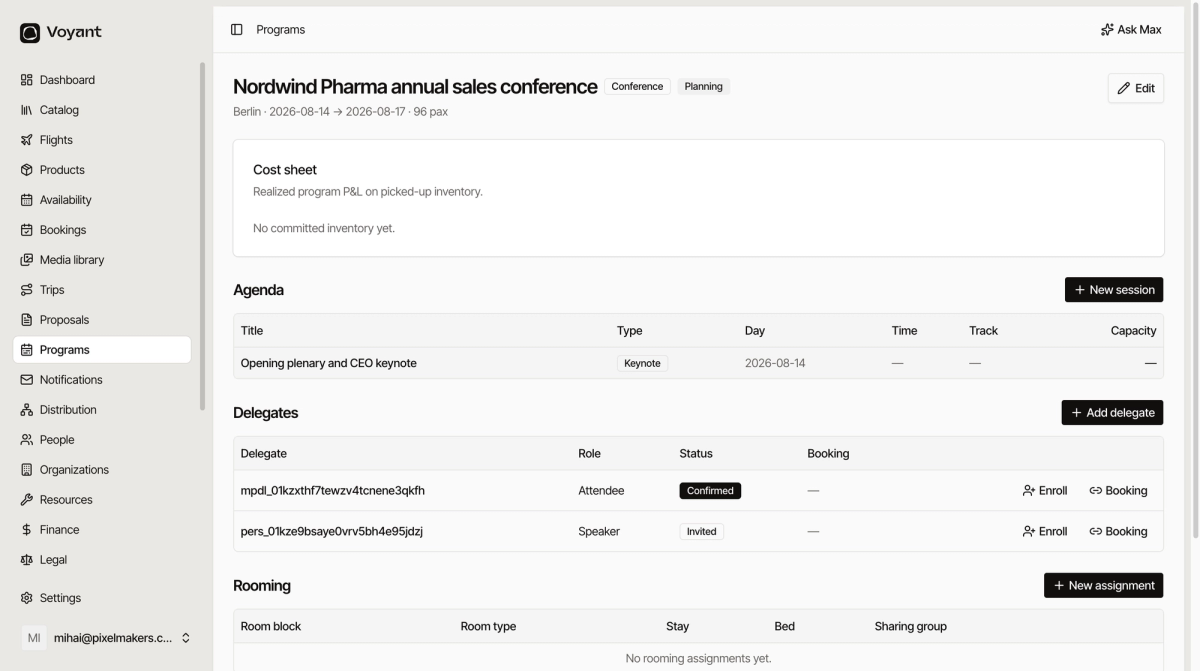
Add a session
- Open the program and click New session.
- Give it a Title, such as "Opening plenary and CEO keynote".
- Choose the Type.
- Pick the Day it happens on.
- Set a Track if you run parallel streams.
- Set a Capacity if the room limits numbers.
- Tick Requires registration if delegates must sign up in advance.
- Click Create session.
The seven session types
- Keynote, the main-stage sessions everyone attends.
- Breakout, parallel sessions delegates choose between.
- Meal, lunches and dinners, which need headcounts.
- Networking, drinks receptions and similar.
- Gala, the formal dinner.
- Excursion, an off-site activity.
- Free, deliberate gaps in the schedule.
Put the meals and the free time in as well as the content. The agenda is an operational document, not just a marketing one, and your suppliers need to know when four hundred people want lunch.
Tracks and capacity
Track groups parallel sessions, so "Sales track" and "Clinical track" can run at the same time and delegates pick one.
Capacity is what the room holds. Combined with Requires registration, it stops eighty people turning up to a session for forty.
Did this answer your question?
Thanks for your feedback.