



Delegates: who is coming
Every person attending, with their role and where they have got to in the sign-up process.
Voyant Support
A delegate is somebody attending the program. Not all of them are the same, which is why each has a role.
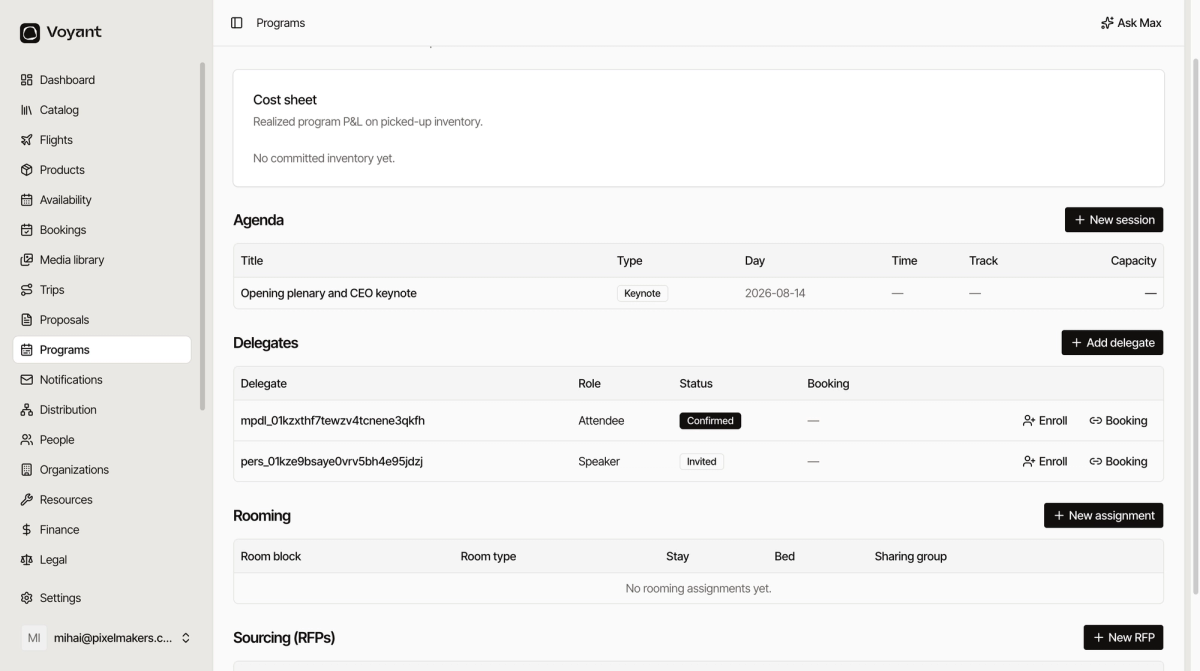
Add a delegate
- Open the program and click Add delegate.
- Choose the Role.
- Choose the Status.
- Link a Person if they already exist in your records.
- Click Add delegate.
The seven roles
- Attendee, the majority.
- Speaker, who needs AV, a slot and often different travel.
- Sponsor, who paid to be there and expects visibility.
- VIP, who needs the better room and the closer seat.
- Staff, your people and the client's.
- Exhibitor, who needs stand space.
- Organizer, whoever is running it.
Roles are not decoration. A speaker arriving a day early and a VIP needing a suite are different operational problems from an attendee.
The six statuses
- Invited, asked but not responded.
- Registered, signed up.
- Confirmed, definitely coming.
- Checked In, arrived on the day.
- No Show, did not turn up.
- Cancelled, pulled out.
The count of Confirmed delegates is what you should be setting Conf. pax from on the program itself.
Enrolling and booking
Each delegate row has two actions. Enroll puts them into sessions. Booking links them to an actual booking, which is how a delegate turns into travel that is paid for.
Did this answer your question?
Thanks for your feedback.