



Set up a day tour
A worked example: a three hour guided walking tour that runs on set mornings, with adult, child and infant prices.
Voyant Support
This example builds a guided walking tour. It runs three mornings a week, takes up to 16 people, and lasts three hours.
1. Create it
- Go to Products and click New product.
- Name: "Berlin Cold War History Tour".
- Description: one or two sentences a customer would read.
- Booking Mode: Date and time, because it starts at a set hour.
- Product family: Tour.
- Duration (minutes):
180. - Capacity Mode: Limited.
- Sell Amount: your adult price.
- Click Create product.
2. Set the prices
On the product page find Booking options and prices. Under Who pays what, click Add traveler type for each kind of ticket you sell.
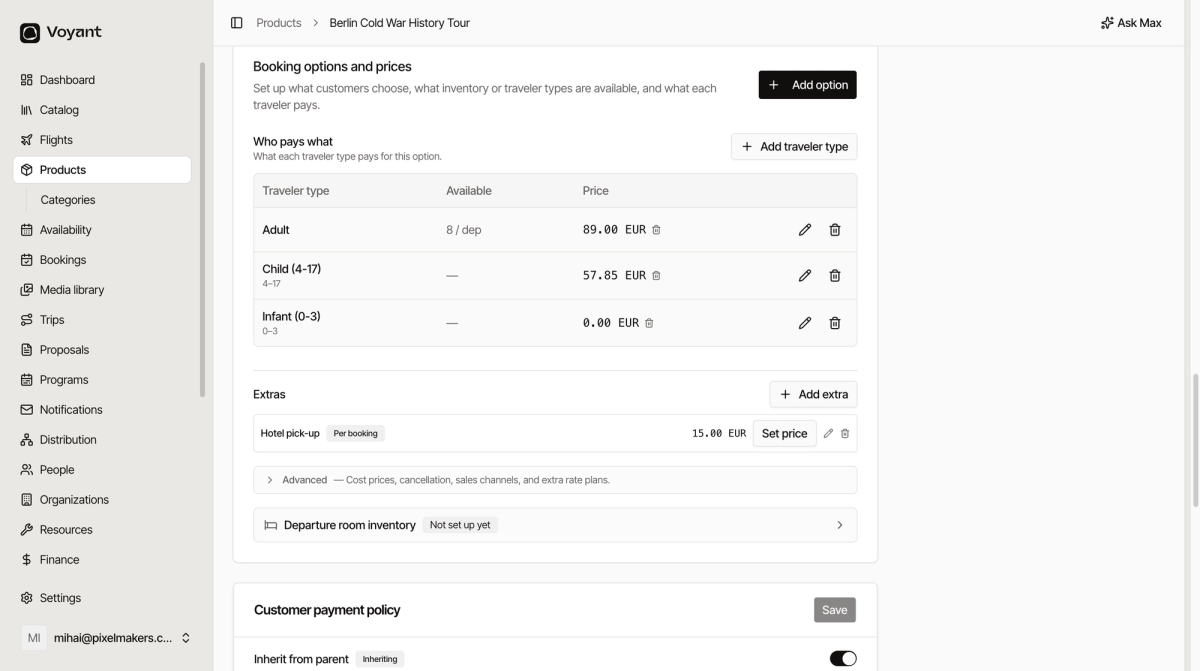
A typical set is Adult, Child with an age range, and Infant at zero.
3. Add the dates
Rather than adding every morning by hand, create a rule.
- Scroll to Recurring Schedules.
- Create a rule such as "Every week on Mon, Wed, Fri" at 10:00.
- Set the maximum number of people, for example 16.
- Set a cut-off so bookings close before the start.
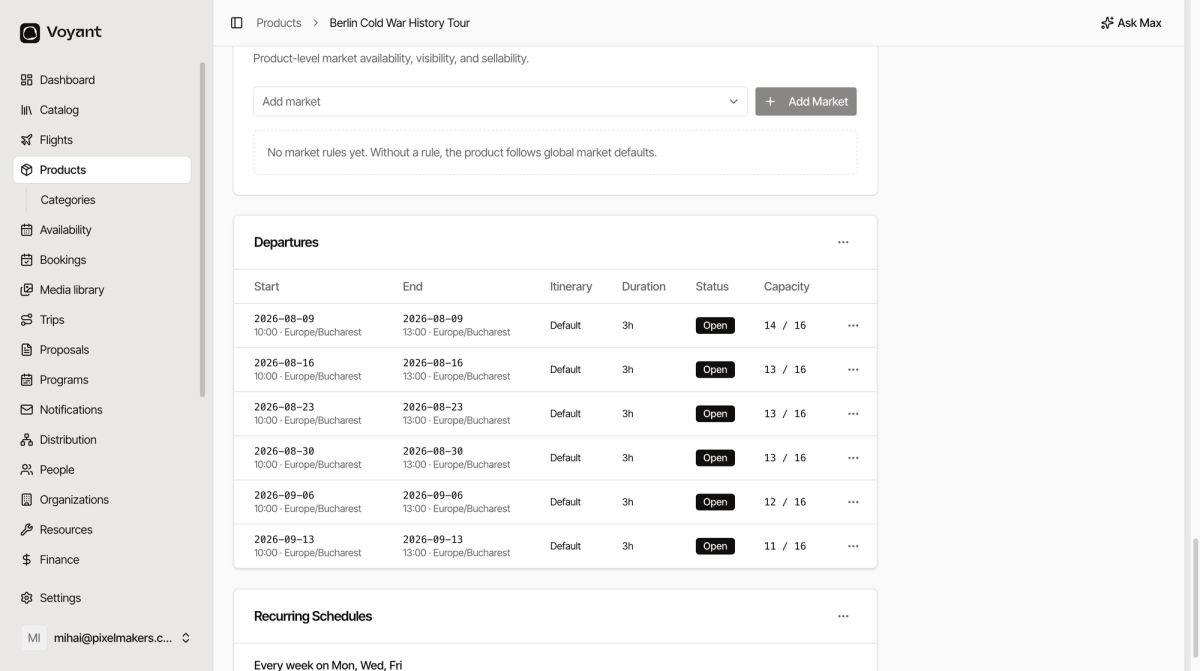
Voyant then generates the individual departures for you. They appear under Departures, each with its own capacity.
4. Finish it off
- Add photos under Media.
- Write the day plan under Itinerary if you want a stop-by-stop description.
- Check the Needs review box on the right is clear.
- Add the product to a channel so it appears on your website.
- Switch Status from Draft to Active.
Did this answer your question?
Thanks for your feedback.