



Policies and where they apply
Cancellation terms, payment terms, booking conditions and privacy notices, versioned and pointed at the right products.
A policy is a standing rule your contracts refer to. Rather than repeating your cancellation terms in every agreement, you write them once and point everything at them.
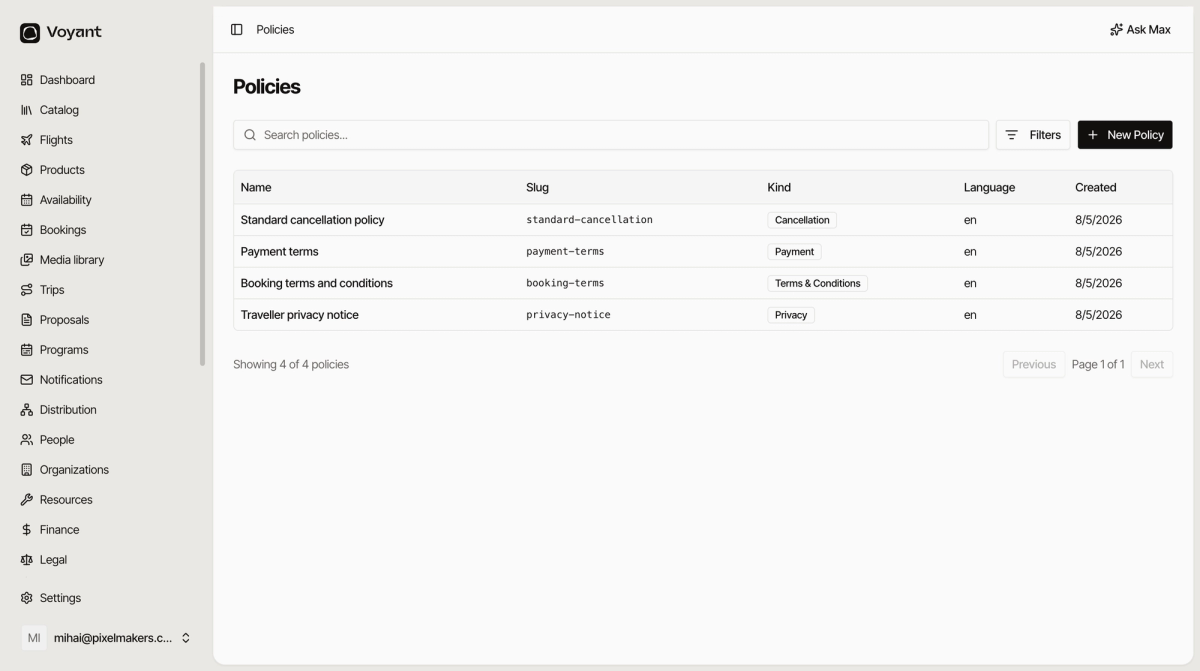
Click Legal, then Policies.
Kinds
Each policy has a Kind: Cancellation, Payment, Terms & Conditions, or Privacy. The kind is what lets Voyant pick the right one when a contract asks for "the cancellation policy".
Versions
Open a policy and you will see its versions.
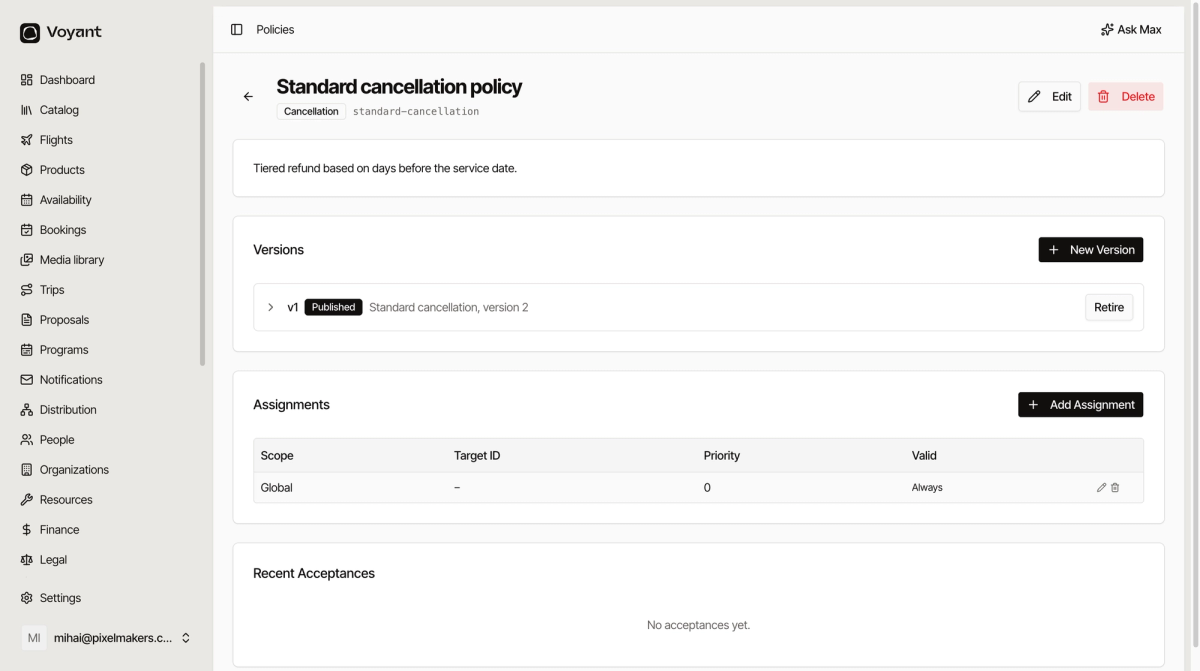
Click New Version when the terms change. Only one version is Published at a time. Retire takes an old one out of use without deleting it.
Keeping old versions matters. A customer who booked last season agreed to last season's terms, and you may need to show exactly what those said.
Assignments
An assignment says where a policy applies. Click Add Assignment and choose a Scope.
- Global, everything you sell.
- Product, one product only.
- Channel, one sales channel, such as your website.
- Supplier, everything from one supplier.
- Market, one country or region.
- Organization, one corporate client.
Priority decides which wins when two apply. A higher priority beats a lower one, so a product-specific policy with priority 10 overrides your global one at priority 0.
Valid From and Valid To let you schedule a change. Leave both empty and it applies always.
Acceptances
When a customer ticks Accept at checkout, the acceptance is recorded here with the time and the version they saw. That record is your evidence if terms are ever disputed.
Policies and payment policies are different things
A cancellation policy here is the wording. A payment policy on a product is the deposit and balance schedule the system actually enforces. You want both, and you want them to say the same thing. See Set a customer payment policy.
Did this answer your question?
Thanks for your feedback.