



Operations: pickups, closing a date, and extras
The practical tab. Where you collect people, how to stop a date selling, and what extras you owe travelers on the day.
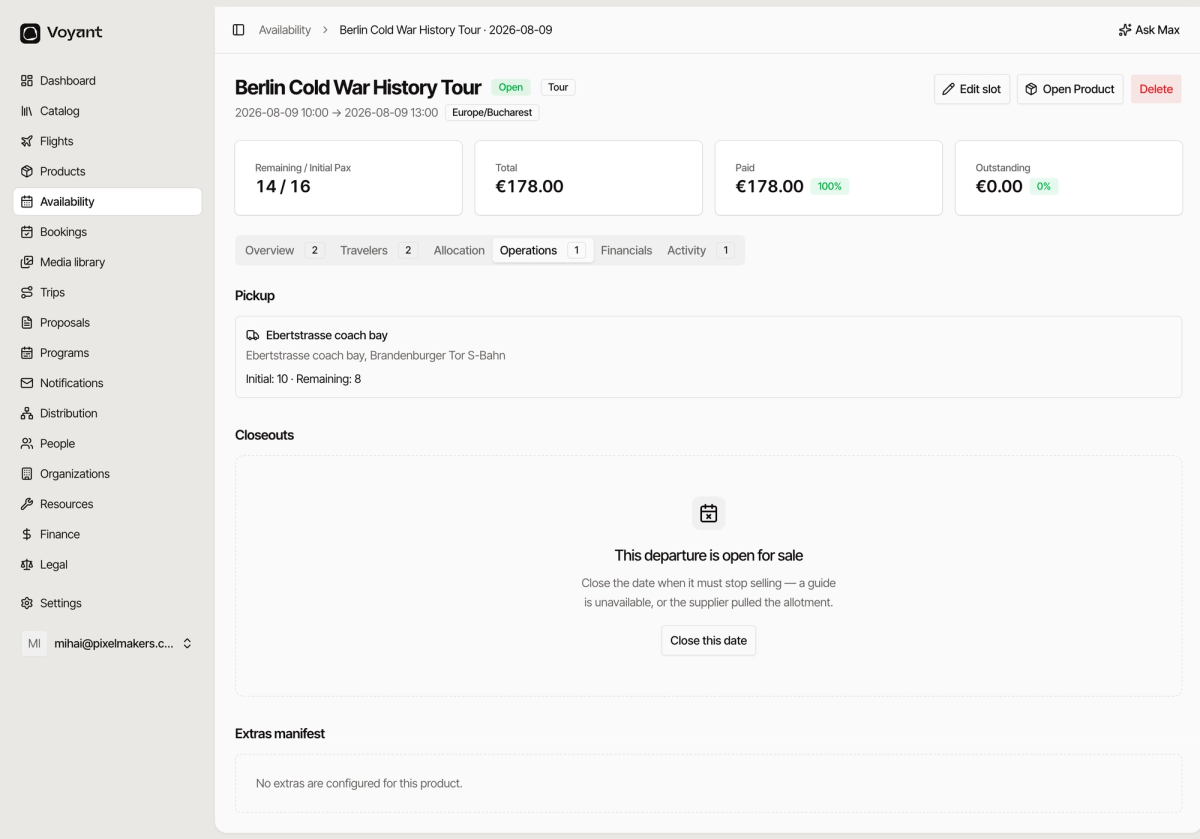
Operations holds the three things that matter on the day itself.
Pickup
If the product collects travelers from set places, each one is listed with its capacity.
An entry reading "Ebertstrasse coach bay, Initial: 10, Remaining: 8" means that stop holds ten people and two have booked it.
Watch the remaining number. A pickup point can fill up before the departure does.
Closeouts
This panel says whether the date is open for sale, and gives you a Close this date button.
Use it the moment you know the date cannot run as sold. A guide called in sick, or a supplier pulled the allotment.
Closing stops new bookings. It does not contact anyone already booked. See Open, closed, sold out and cancelled.
Extras manifest
Lists the extras travelers bought for this date, so you know what to bring or collect.
If a customer paid for hotel pick-up or a lunch, it shows here. If the product has no extras, the panel says so. See Add extras to a product.
Did this answer your question?
Thanks for your feedback.