



Product families
The five top-level kinds of thing you can sell. Choosing the right one changes how a product behaves, not just where it is filed.
Every product belongs to a family. It is the first choice you make when creating one, and the one that is most annoying to change later.
Click Settings, then Product families under the PRODUCTS heading.
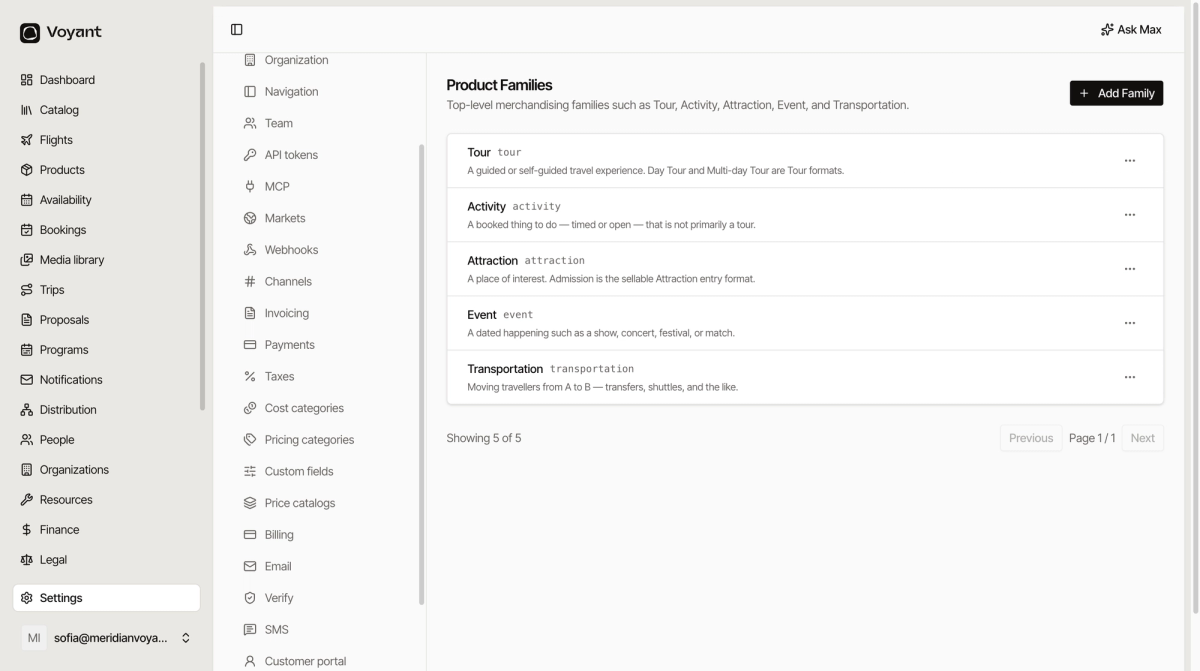
The five
- Tour, a guided or self-guided travel experience. Day tours and multi-day tours are both Tour formats.
- Activity, a booked thing to do, timed or open, that is not primarily a tour.
- Attraction, a place of interest. Admission is the sellable entry.
- Event, a dated happening: a show, a concert, a festival, a match.
- Transportation, moving travellers from A to B. Transfers, shuttles and the like.
The line between Tour and Activity
This is the one people get stuck on. A guide walking you around Prague Castle is a Tour. A cooking class, a boat you hire, a spa afternoon are Activities.
Ask whether somebody is leading you through something. If yes, Tour.
The family changes behaviour
It is not just a label for filtering. The family decides what fields a product offers, how it schedules, and how it appears in the catalog.
An Event has a fixed date. A Transportation product has a route. A Tour has an itinerary. Picking the wrong family means fighting the form.
Adding your own
Add Family creates one. Most operators never need to. The five cover the great majority of travel, and a family you invent has no special behaviour behind it.
If you are reaching for a new family, check first whether a tag would do the job. See Product tags.
Did this answer your question?
Thanks for your feedback.