



Custom fields
Add your own fields to people, bookings, organizations and proposals when Voyant has no box for something you need.
Every operator tracks something nobody thought to build a field for. Dietary requirements, loyalty tier, which agent introduced the client.
Click Settings, then Custom fields.
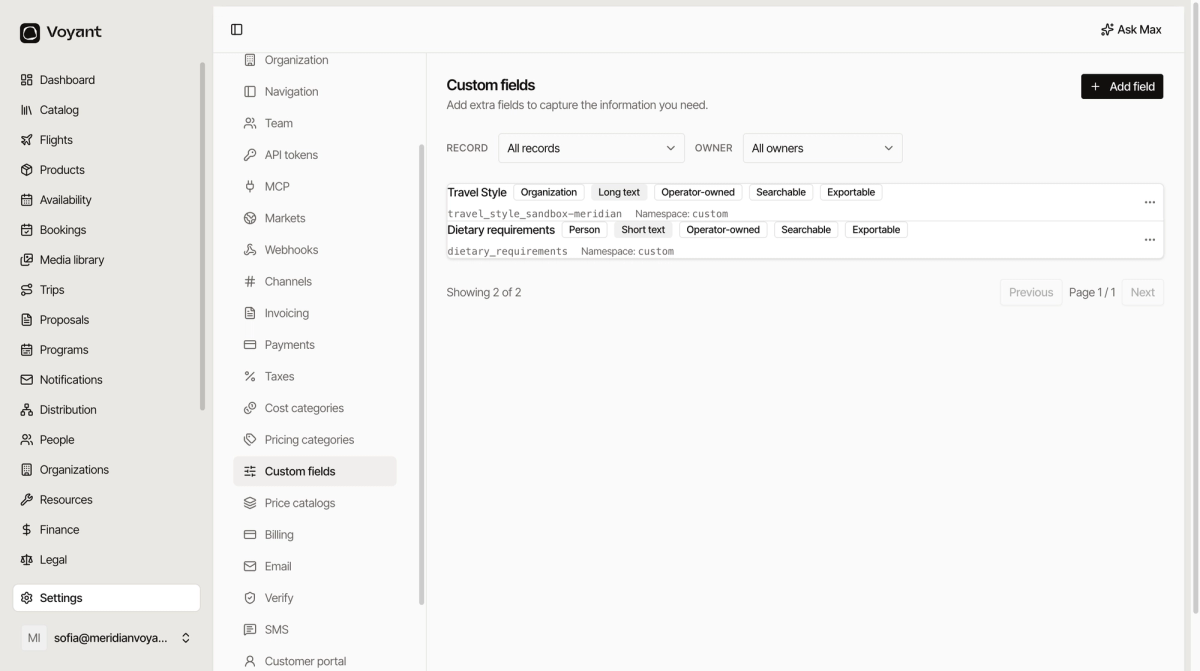
Add one
- Click Add field.
- Choose the Record it attaches to.
- Choose the Field type.
- Write a Label, which is what people see.
- Set a Key, which is the internal name. Lower case with underscores, such as
dietary_requirements. - Choose Searchable, Exportable and Invoiceable.
- Click Create field.
The five records
Activity, Booking, Organization, Person and Proposal.
Pick where the information genuinely belongs. Dietary requirements belong to a Person, because they are true of them on every trip. A special request belongs to a Booking, because it is true of one trip only.
The eleven types
Short text, Long text, Number, Money, Date, Yes/no, Phone, Address, Single choice, Multiple choice and JSON.
Prefer Single choice over Short text wherever the answers are known in advance. Free text gives you "vegetarian", "Vegetarian", "veggie" and "no meat pls" in the same column.
JSON is for developers passing structured data through an integration. If you are not sure, it is not the one you want.
The three switches
- Searchable lets you search and filter on it. Turn this on for anything you will ever want to pull a list by.
- Exportable includes it in data exports.
- Invoiceable exposes it to customer-facing invoice templates. Leave off unless a customer should see it.
Custom fields and tags do different jobs
A tag marks a product as belonging to a group. A custom field stores a value for one record. "Culinary" is a tag. "Dietary requirements: no shellfish" is a field.
Did this answer your question?
Thanks for your feedback.