



People, terms and tax details on a company
Link the staff who work there, record the legal name and tax ID for invoicing, and set the payment terms you trade on.
A company record is more than a name and a website. It carries the details that make invoicing and servicing work.
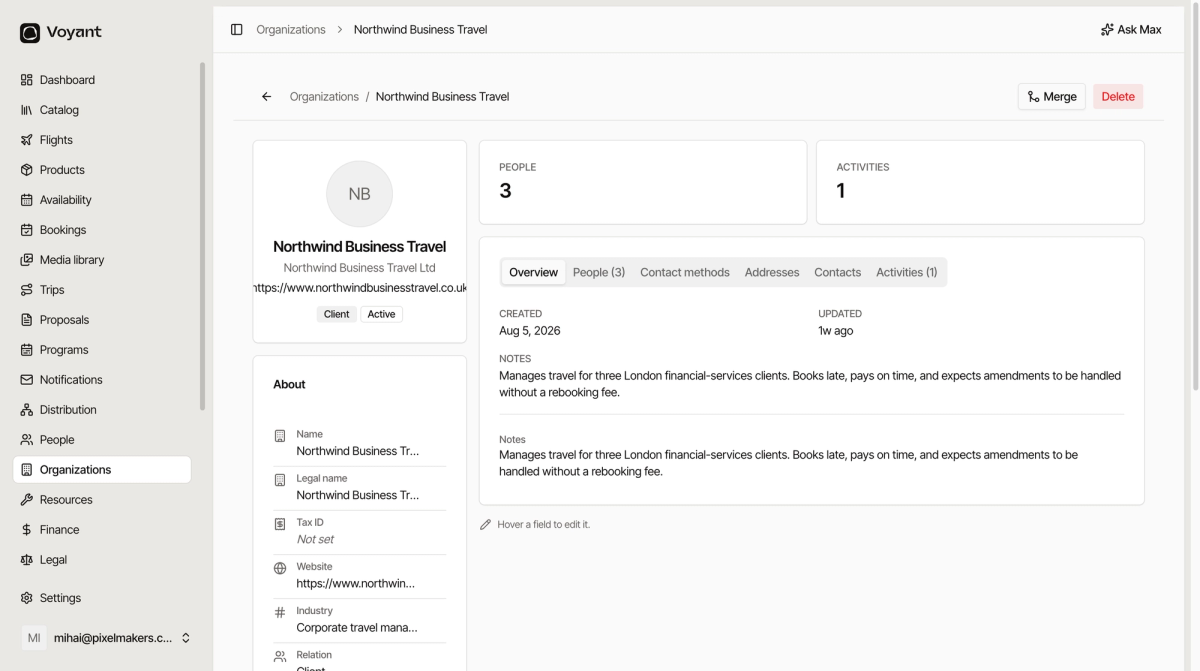
Name and legal name
Name is what you call them. Legal name is what goes on the invoice, such as "Northwind Business Travel Ltd".
They are often different, and using the wrong one on an invoice gets it sent back.
Tax ID
Required for business invoicing in most markets. Fill it in before you raise the first invoice rather than after it bounces.
Payment terms
Payment terms (days) is how long the company has to pay, such as 14 or 30.
This is the commercial credit you extend them, which is different from the deposit and balance rules on a product or supplier. See Payment terms on a supplier.
Currency and language
Default currency is what they are billed in. Preferred language decides which version of a document or notification they receive.
The people who work there
The People tab lists the staff at that company, each with their role.
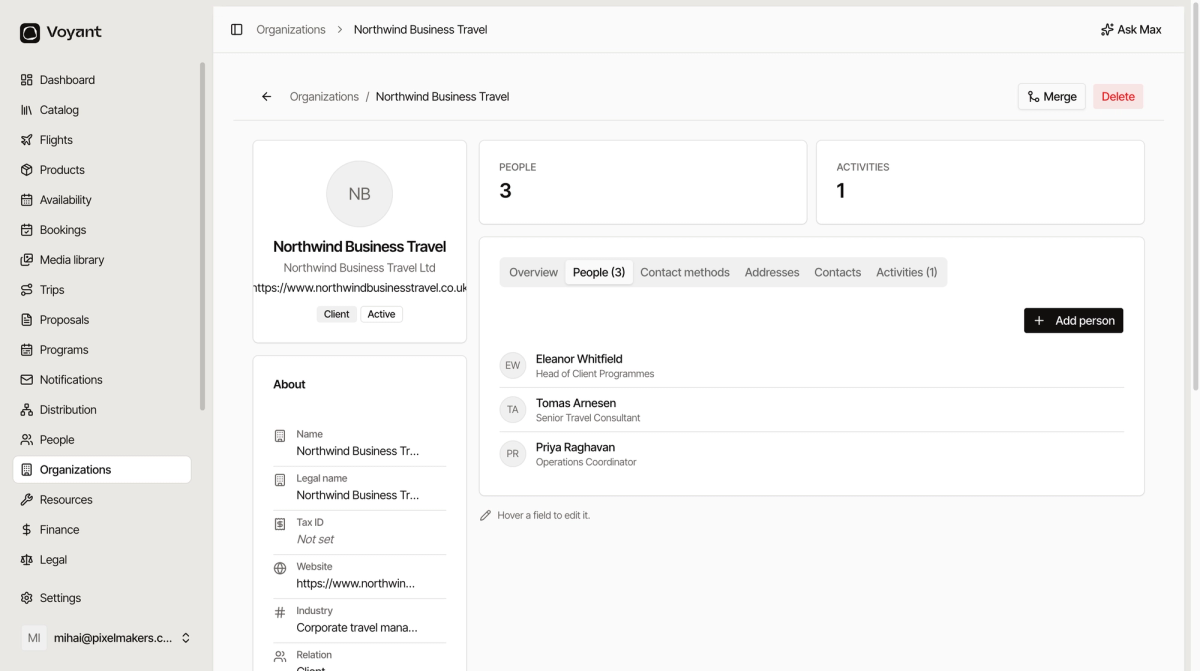
Knowing that Eleanor runs the programmes, Tomas books the travel and Priya handles operations is the difference between reaching the right person and leaving a voicemail.
Click Add person to link somebody, or create them from here if they are new.
Inline editing
Most fields edit in place. Hover over one and it becomes editable, as the hint at the bottom of the page says. There is no separate edit screen for small corrections.
Did this answer your question?
Thanks for your feedback.