



Invoices and Documents
Raise an invoice, and find the contract, voucher or ticket attached to a booking.
Voyant Support
Invoices
Every invoice raised against this booking.
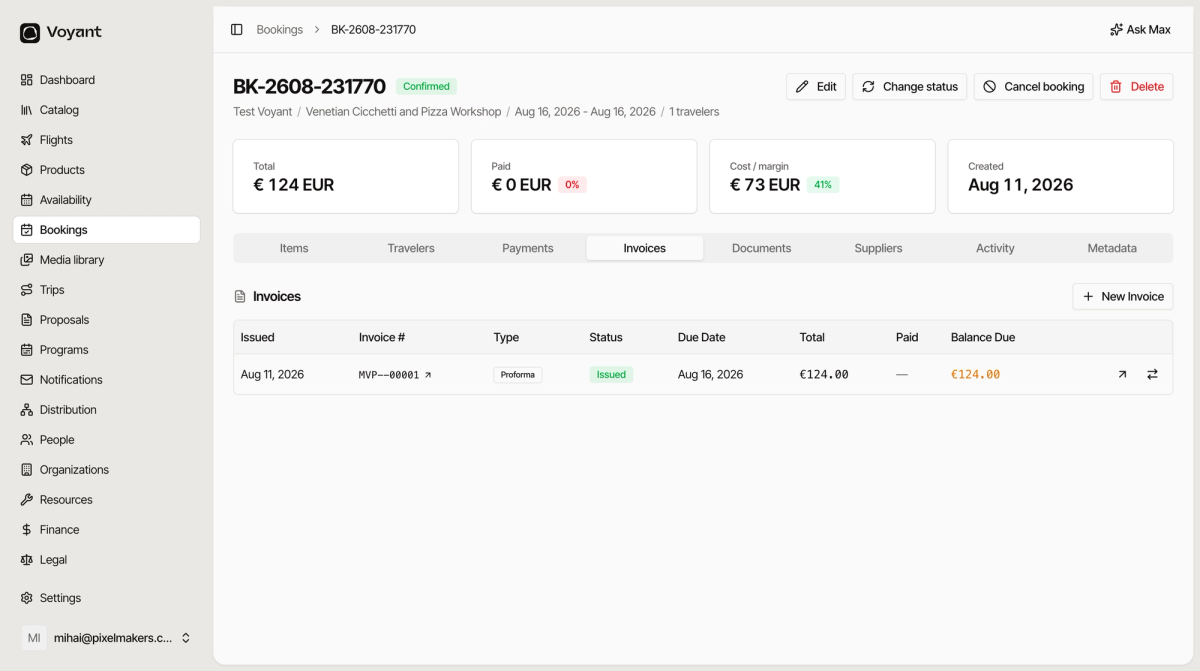
- Issued is the date it was raised.
- Invoice # is its number.
- Type is Proforma or a full invoice. A proforma is a request for payment, not a tax document.
- Status is where it has got to.
- Due Date, Total, Paid and Balance Due track the money.
Click New Invoice to raise one, for example when a customer asks for a proper invoice after paying a proforma.
Documents
Everything attached to the booking.
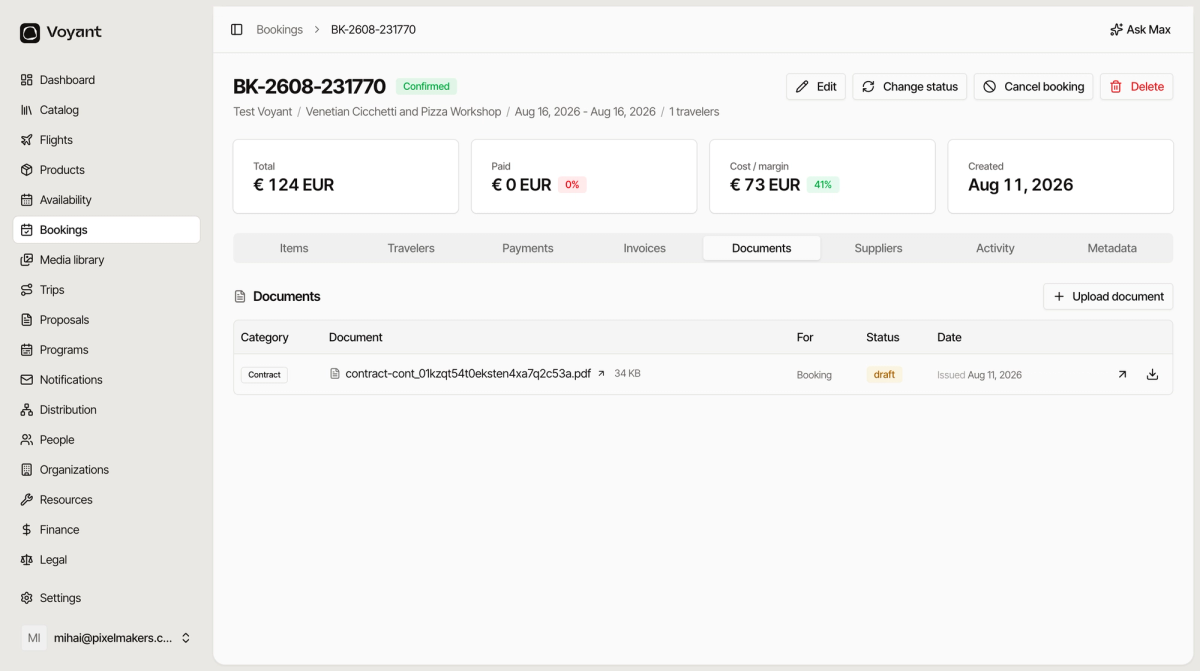
- Category is the kind of document, such as Contract.
- Document is the file, with its size.
- For says what it belongs to.
- Status is usually Issued.
- Date is when it was created.
Most documents appear on their own. A contract is generated when a booking is confirmed, and vouchers are issued automatically.
Click Upload document to attach something yourself, such as a signed waiver or a supplier confirmation that arrived by email.
Did this answer your question?
Thanks for your feedback.