



Your organization details
Company name, tax IDs, bank details and licence. Typed once, then used automatically on contracts and invoices.
Click Settings, then Organization. This page describes your company, and its own description says it plainly: these details are used automatically in your contract templates.
Get it right once and you stop retyping it.
Identity
Trading name is what customers call you. Legal name is what your registration says. They are often different, and both appear in different places on a contract.
VAT id and Trade-register number go on invoices where your tax authority requires them.
Contact
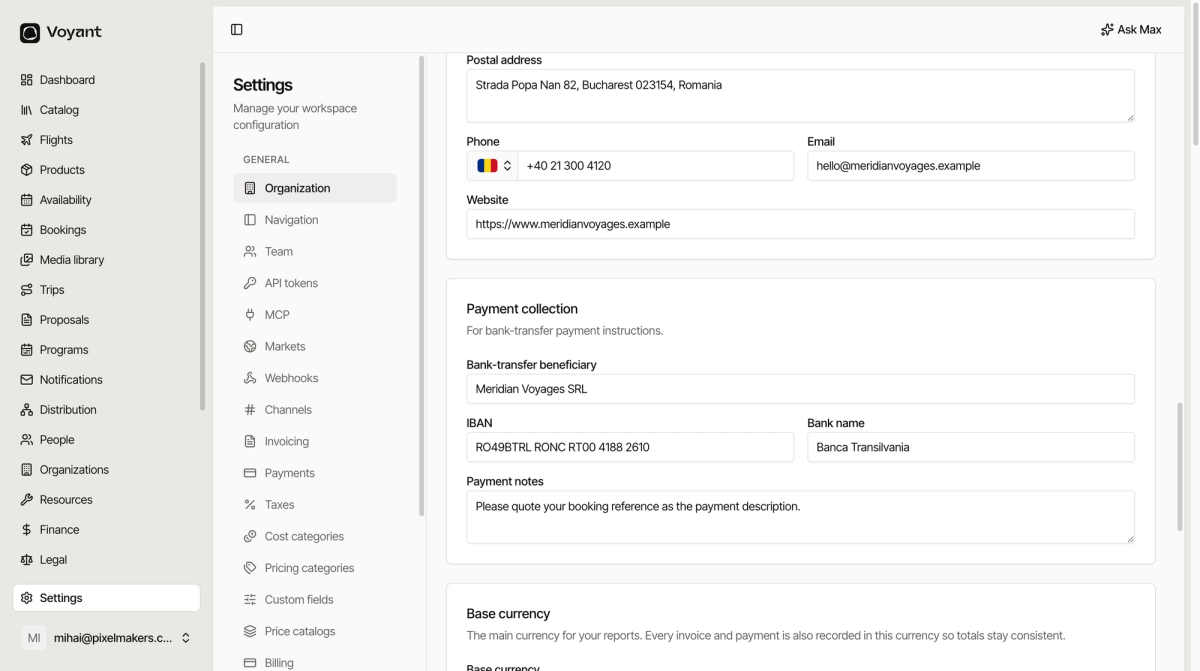
Postal address, phone, email and website. These print on documents and appear in customer emails.
Payment collection
Fill these in if you take bank transfers. Bank-transfer beneficiary, IBAN and Bank name become the payment instructions your customer sees.
Payment notes is the line that saves you reconciliation work. "Please quote your booking reference as the payment description" turns anonymous transfers into matched ones.
Base currency
The currency your reports add up in. Every invoice and payment is recorded in it as well as its own currency, so mixed-currency months still total correctly.
Licence and signatory
License number and Issuing authority cover your tour licence, hotel rating registry or flag state, whichever applies to you.
Signatory is the person whose name appears on your side of a contract. Name and role.
Customer experience
Support email, Terms URL and Privacy URL are shared by your portal, booking engine and websites.
Supported customer languages and Default customer language decide what a customer sees when their own language is not available.
Default customer payment policy
The deposit and balance split used when nothing more specific is set. A product, a category or a supplier can override it, and a booking can override all of them.
The Sample underneath shows what your settings do to a €1,000 booking departing in 60 days. Read it before saving. See Guarantees and the payment policy panel.
Did this answer your question?
Thanks for your feedback.