



Webhooks
Tell another system the moment a booking is confirmed or an invoice is issued, instead of having it poll or having somebody retype.
A webhook is a message Voyant sends to another system when something happens. Your accounts package learns about a confirmed booking the second it is confirmed.
Click Settings, then Webhooks. You will need somebody technical to receive them, but choosing what to send is your call.
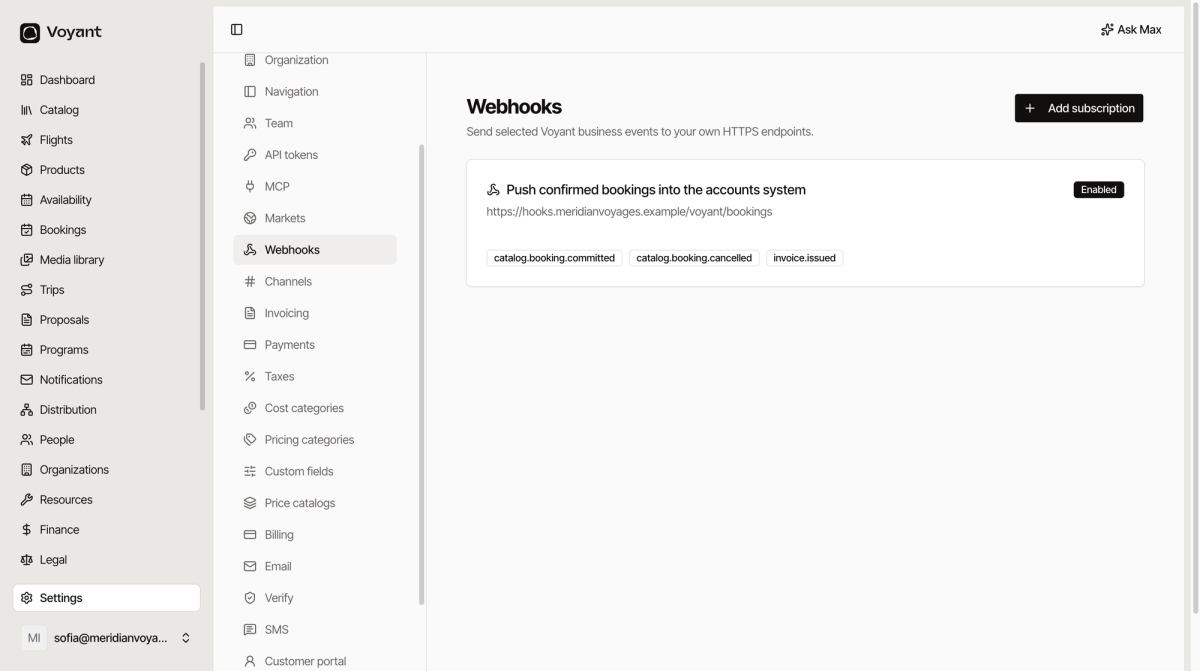
Create one
- Click Add subscription.
- Enter the Endpoint URL, which must be
https://. - Write a Description saying what it is for.
- Tick the Events you want.
- Click Create subscription.
The events
They fall into two groups.
Catalog and bookings
catalog.booking.committed, catalog.booking.cancelled, and a set of catalog.entity.* events for products being created, updated, archived, deleted, repriced, or having their availability change. Plus catalog.source.disconnected and catalog.source.reconnected for supply connections dropping out.
Invoices
invoice.issued, invoice.proforma.issued, invoice.proforma.converted, invoice.payment.recorded and invoice.voided.
Each carries a version number, so the shape of the message is stable and you are told when it changes.
Subscribe to what you will act on
It is tempting to tick everything. Do not. Every event is a message somebody has to handle, and an unused event is noise that hides a real failure.
Most operators want three: booking committed, booking cancelled, invoice issued.
The signing secret
When you create a subscription, Voyant shows a signing secret once.
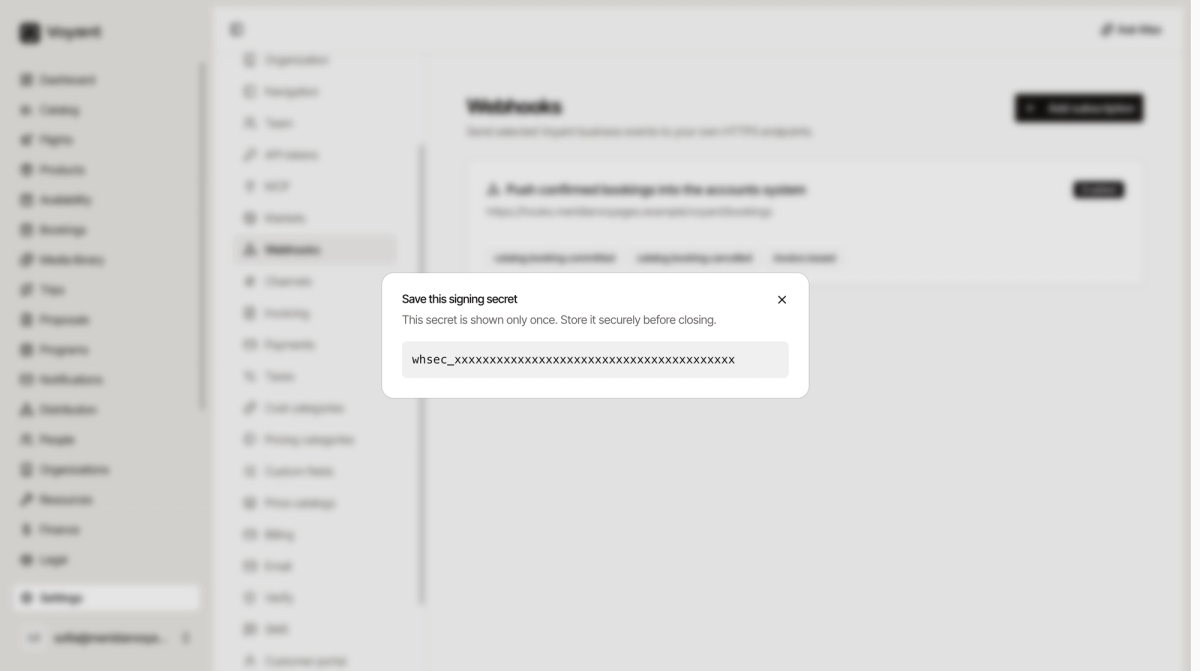
Your system uses it to check a message genuinely came from Voyant and was not forged by somebody who guessed your endpoint. Store it wherever you keep passwords.
If you close this without copying it, delete the subscription and create it again.
Message format
The payload shapes are documented at voyant.travel/docs.
Did this answer your question?
Thanks for your feedback.