



Set up a stay
A worked example: accommodation sold by room and by night. Stays work differently from tours, so read this before you start.
A stay is accommodation you sell yourself, priced by room and by night rather than by seat.
1. Create it
- Go to Products and click New product.
- Name: "Lake Bled Boutique Stay".
- Booking Mode: Stay. This is the setting that makes it accommodation.
- Capacity Mode: Limited, because you have a fixed number of rooms.
- Sell Amount: your typical total, or leave it and price the rooms instead.
- Click Create product.
2. The product page looks different
Because the booking mode is Stay, the pricing area is not the usual Who pays what table. It is Rooms & prices, with an Add room button.
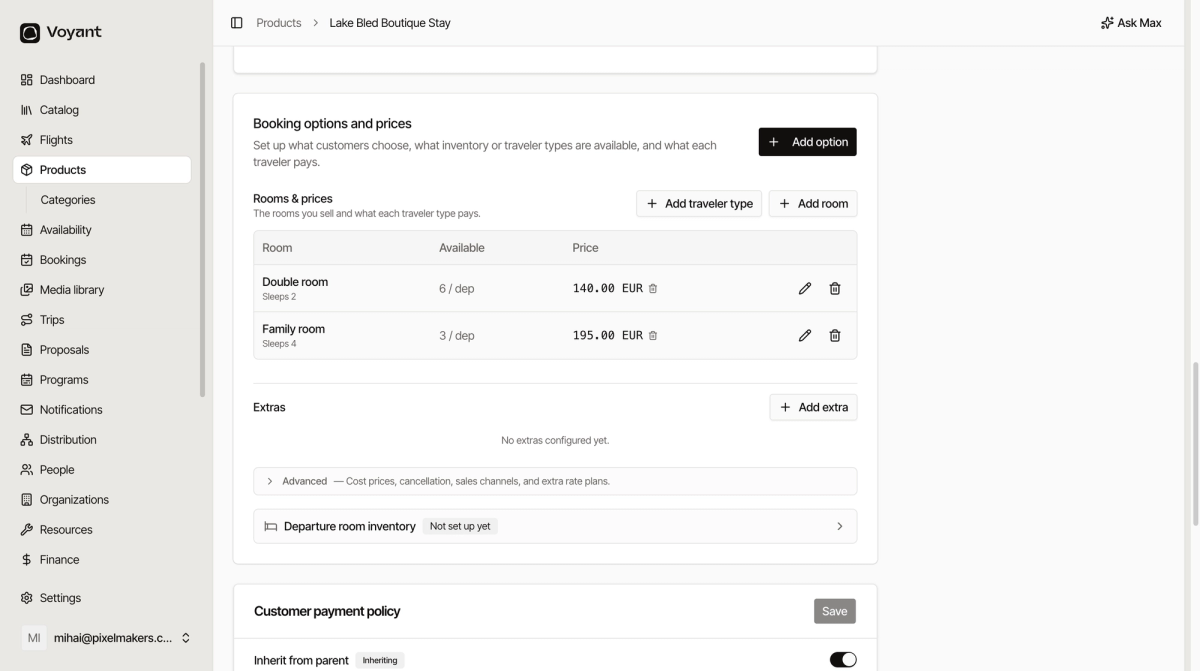
That is the right way round for accommodation. You sell a double room for three nights, not three seats.
3. Add your rooms
- Click Add room for each room type, such as Double, Twin and Family.
- Give it a Name and a Code, for example "Family room" and
family-room. - Set Rooms available per departure to how many of that room you have.
- Set Min guests per room and Max guests per room, so the table can show "Sleeps 4".
- Click Add traveler type to set what an adult and a child pay.
4. Set the family
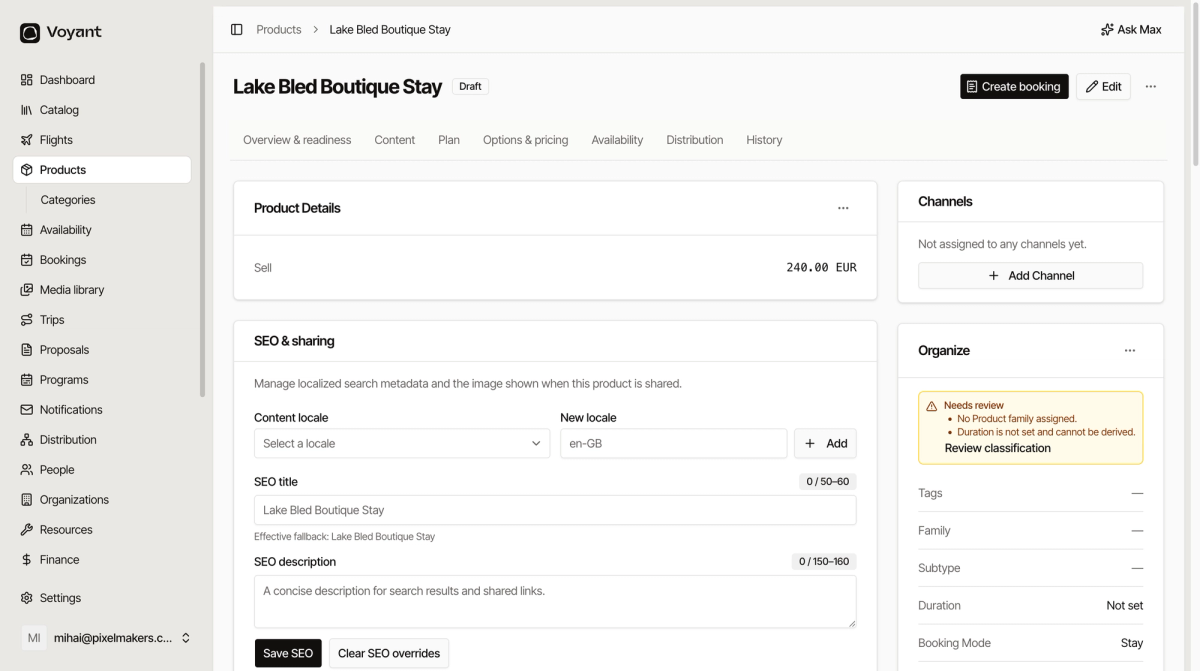
The five standard families are Tour, Activity, Attraction, Event and Transportation. None of them is accommodation, so a new stay will show a Needs review warning saying no family is assigned.
Ask whoever administers your Voyant account to add a family for accommodation. Families are configurable, so this is a one-off change that then applies to every stay you create.
Did this answer your question?
Thanks for your feedback.