



Reminder steps: when it actually sends
A step says how many days before or after something a message goes out, how often it may repeat, and when to stop.
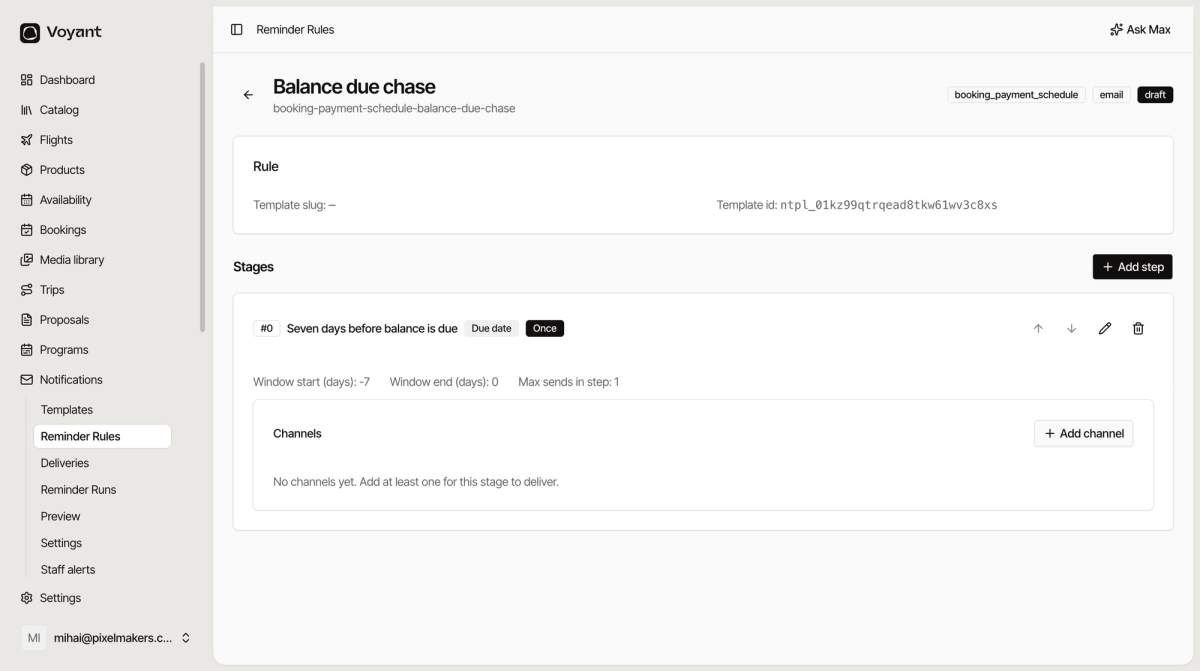
A rule on its own does nothing. The steps are what carry the timing.
Open the rule and click Add step.
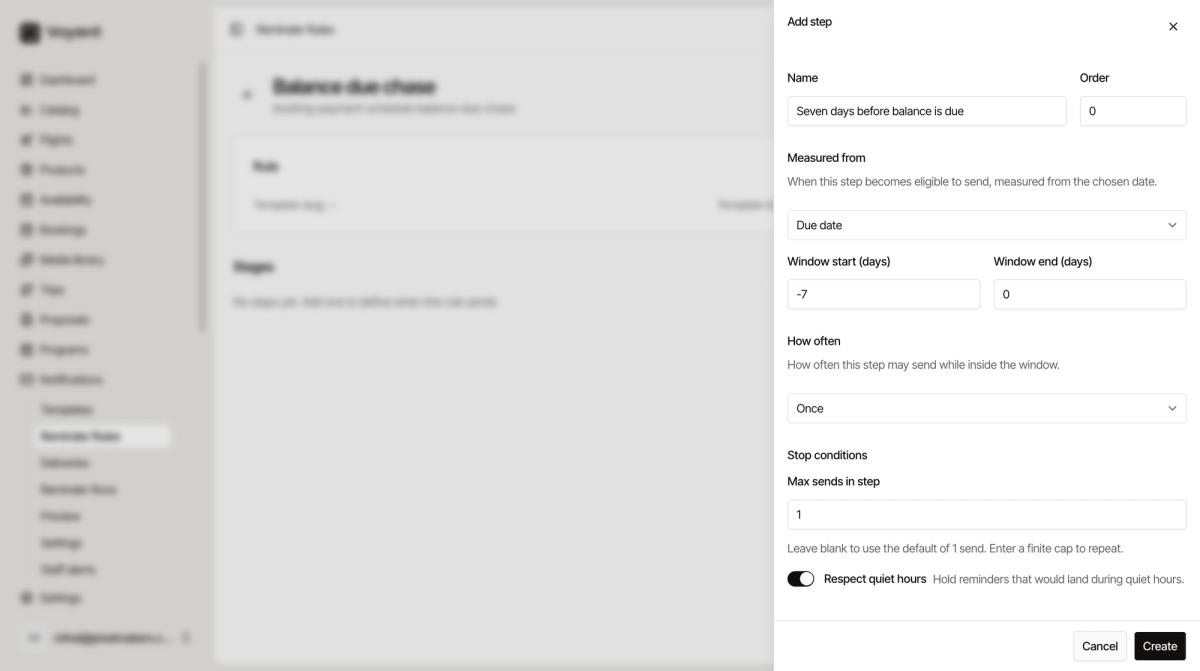
Measured from
The date everything else is counted from.
- Due date, when the money is owed.
- Booking created at, when the booking was made.
- Departure date, when they travel.
- Invoice issued at, when the invoice went out.
- Last send, when this rule last messaged them, which is how you space a sequence out.
The window
Window start and Window end are days relative to that date. Negative is before, positive is after.
- Start
-7, end0means the week leading up to the date. - Start
1, end14means the fortnight after it.
The step is eligible to send at any point inside its window.
How often
- Once, a single message. Right for most things.
- Every N days, repeat at a fixed spacing.
- Escalating steps, get more insistent over time.
Stop conditions
Max sends in step caps how many messages one step can produce. Blank means one. This is the setting that stops a rule pestering somebody forever.
Respect quiet hours holds anything that would land in the middle of the night. Leave it on.
Channels per stage
Each stage needs at least one channel before it can deliver. Add one with Add channel on the stage.
Did this answer your question?
Thanks for your feedback.