



Program statuses
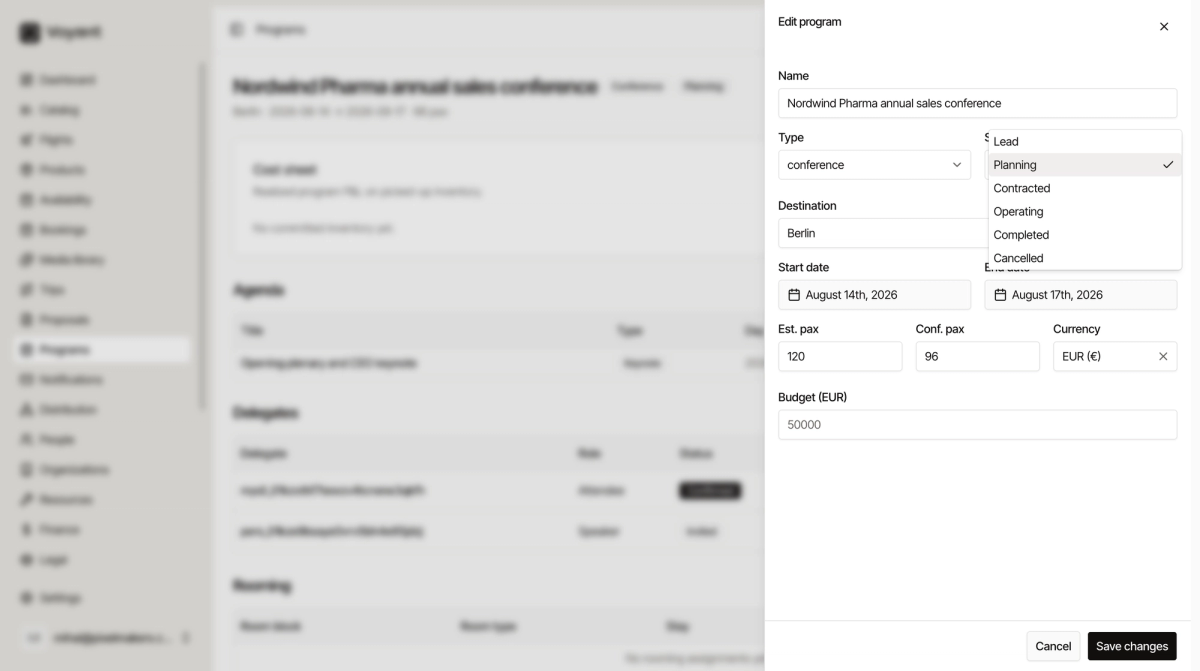
Lead, Planning, Contracted, Operating, Completed and Cancelled. Where a program sits tells your team what to do next.
A program moves through six statuses, and they follow the shape of the work.
Lead
An enquiry. Somebody asked whether you could run it. Nothing is committed and you may not win it.
Planning
You are working it up. Agenda, sourcing, quotes. Still no contract.
Contracted
The client signed. Now you have real obligations and can commit inventory.
Operating
It is happening. Delegates are arriving, sessions are running.
Completed
It ran and is finished. Time to reconcile the cost sheet.
Cancelled
It is off.
Why the line between Planning and Contracted matters
Everything before Contracted is speculative. Everything after it costs you money if it goes wrong.
Do not commit a room block or sign a venue while a program is still Lead or Planning, unless you are willing to carry that cost yourself if the client walks away.
Change the status
Open the program and click Edit. The status also shows as a badge next to the program name, so you can see where everything sits from the list.
Did this answer your question?
Thanks for your feedback.