



Overview: what needs attention
The Overview tab is a health check for one date. It lists problems to fix, then the capacity, booking, hold and extras numbers behind them.
Overview answers one question: is this date in good shape?
Needs attention
Warnings appear at the top under TO RECONCILE. Each one says what is wrong, how many travelers it affects, and gives you a button that takes you straight to the fix.
Two you will see often:
No rooms or seats laid out
People have booked but you have not said where they go. Click Go to Allocation and set up the coach, room or seats.
Departure is not version-bound
The date is not locked to a published version of the product, so what it sells could drift from what you wrote. Click Open product to review.
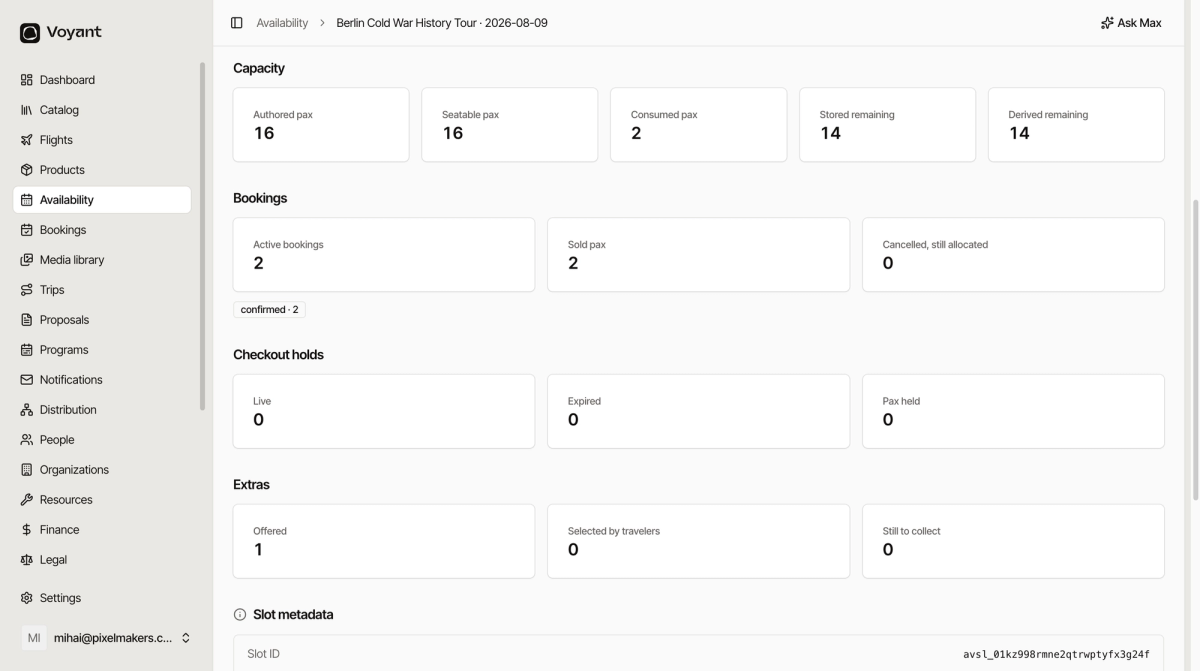
Capacity
Five numbers, and they usually all agree.
- Authored pax is what the product intends, for example 16.
- Seatable pax is how many you have actually laid out places for.
- Consumed pax is how many are booked.
- Stored remaining is the number Voyant is holding.
- Derived remaining is the number worked out from the bookings.
If Stored remaining and Derived remaining disagree, something is out of step and worth raising.
Bookings, holds and extras
- Bookings shows active bookings, sold places, and any cancelled ones still holding a place.
- Checkout holds shows places held by customers mid-checkout. Live holds expire on their own.
- Extras shows how many you offered, how many travelers picked, and what is still to collect.
Did this answer your question?
Thanks for your feedback.