



Cookie consent
One privacy banner, worded once, applied to your booking engine, your portal and your websites.
If you sell to people in Europe you need to ask before setting non-essential cookies. Voyant gives you one banner shared by every customer-facing surface.
Click Settings, then Cookie consent.
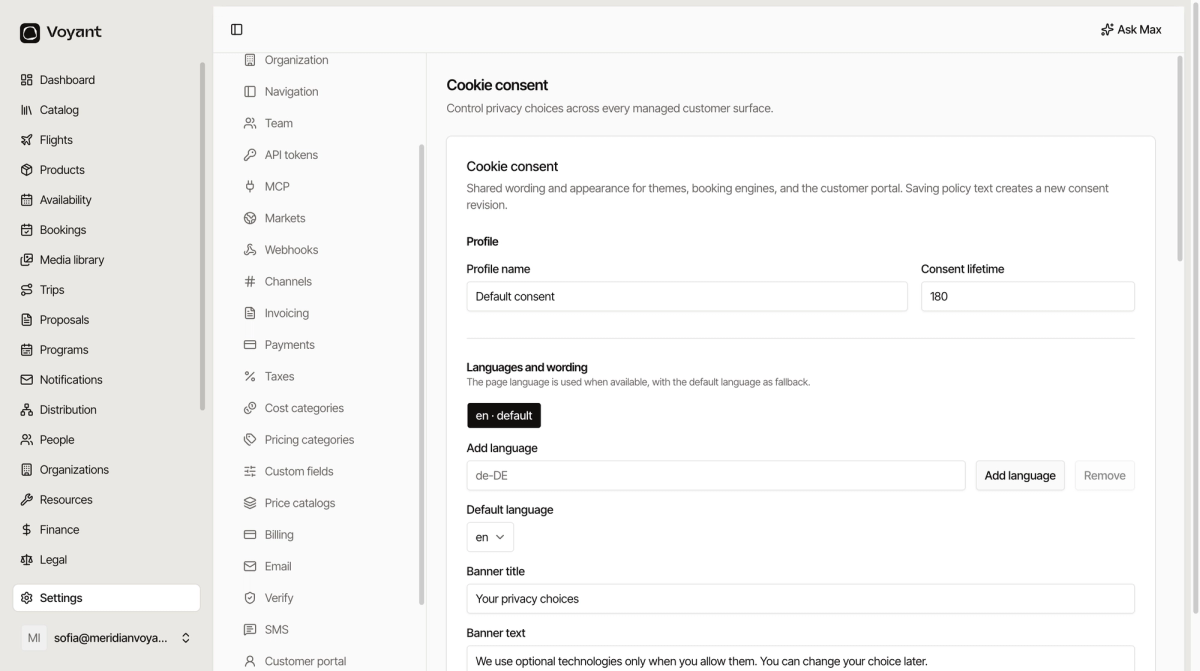
Profile
Profile name and Consent lifetime. The lifetime is how long a choice is remembered before you ask again.
Languages and wording
Every visible string is yours to write: banner title and text, the Accept all, Reject all, Customize and Save choices buttons, and the preferences launcher.
Add a language and you get the whole set again in that language. A visitor sees their own language when you have it, and your default language otherwise.
The four categories
- necessary, required for the site to work. Cannot be switched off.
- functional, remembers preferences.
- analytics, measures usage.
- marketing, advertising and retargeting.
Write a plain description for each. "We use these to remember your language" beats a paragraph of legal boilerplate, and regulators prefer it too.
Appearance
Accent, background, text, muted text and border colours, plus Position and Button radius. There is a Custom CSS box if you need finer control.
Managed surfaces
At the bottom, each surface is listed with its address: your website, your booking engine and your customer portal.
Consent provider on each one is either Voyant's own banner, an external CMP through Google Tag Manager, or Disabled. Choosing GTM starts with Google consent denied until the visitor agrees.
Saving creates a revision
Saving the policy text creates a new consent revision rather than overwriting the old one, so you can show what wording somebody actually agreed to.
Did this answer your question?
Thanks for your feedback.