



Contract templates
Write the wording once. Each contract fills in the booking, the travellers and the total by itself.
You do not want to retype a sales agreement for every booking. A template holds the wording, with blanks that fill themselves in.
Click Legal, then Contract Templates.
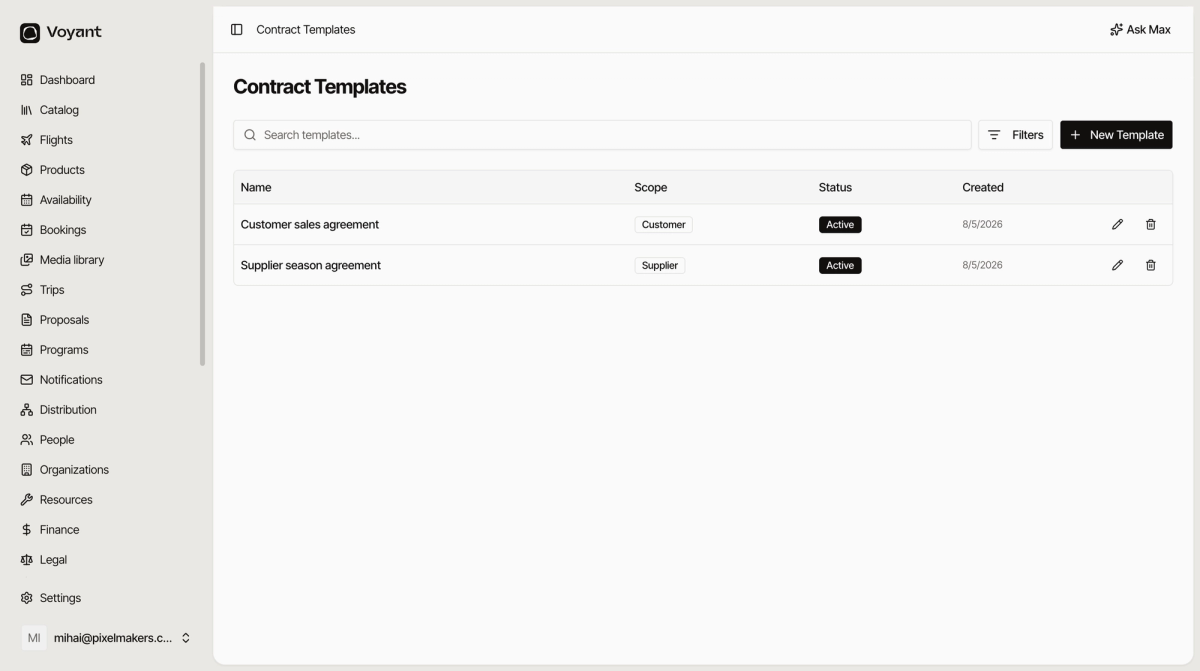
Scope decides when it is used
A template with a Customer scope is offered on customer contracts, a Supplier one on supplier agreements. Mark one as the default for its scope and Voyant uses it automatically.
The blanks
Open a template and look at Current Body. The wording is ordinary text with placeholders in double braces.
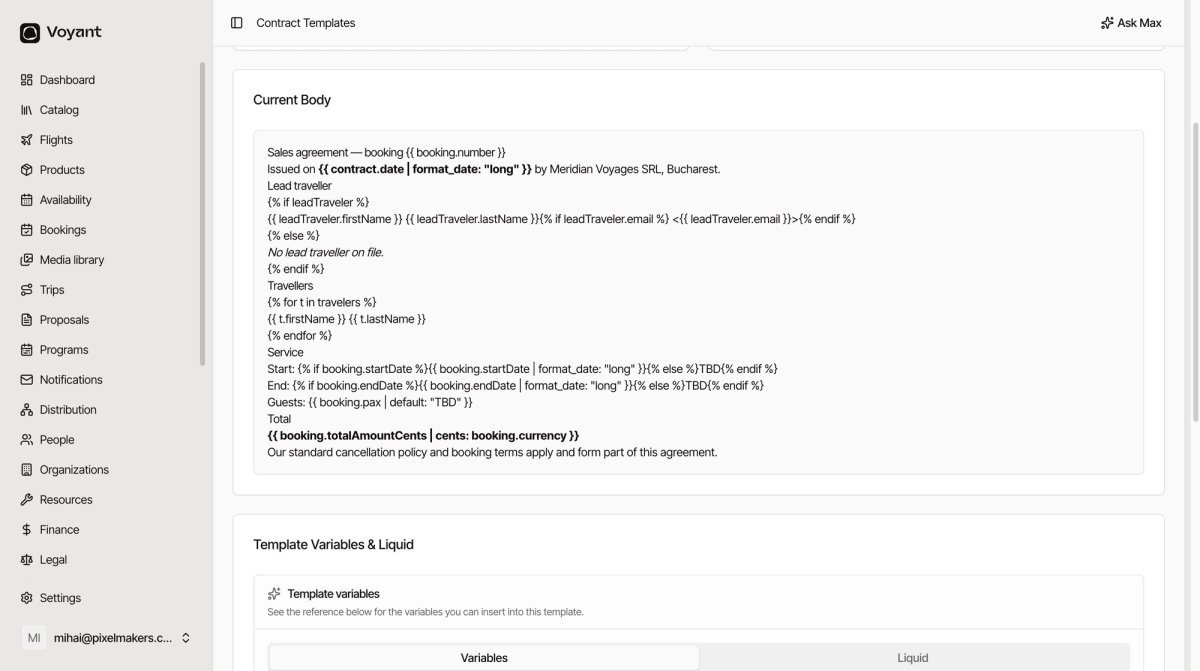
{{ booking.number }} becomes the booking reference. {{ booking.totalAmountCents | cents: booking.currency }} becomes 1,240.00 EUR. The rest is your own wording, unchanged.
There are also blocks that repeat or skip. A travellers block lists however many travellers the booking has, one line each. A lead traveller block prints their name if there is one and a fallback sentence if there is not.
You do not have to write these from scratch. See Template variables.
Versions
Click Add Version when the wording changes. The old version stays, and contracts already issued keep pointing at it.
This is the part that protects you. A customer who signed in March signed the March wording, and you can still produce it.
Editing
Edit changes the template details. Add Version changes the wording. Use Add Version for anything a customer would notice, so the change is dated and traceable.
Did this answer your question?
Thanks for your feedback.