



Contract number series
Give contracts a readable, sequential reference, with a separate series for customers and suppliers.
Every contract needs a reference somebody can quote on the phone. Click Legal, then Number Series.
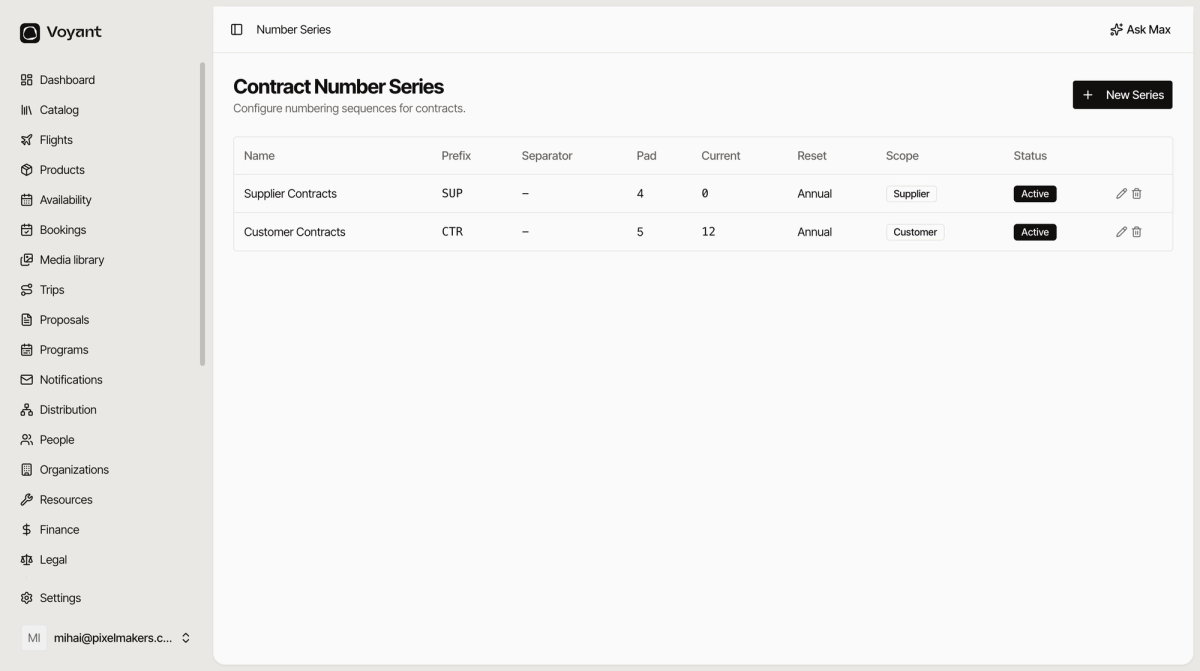
Create one
- Click New Series.
- Give it a Name such as "Customer Contracts".
- Set the Prefix, such as
CTR. - Set the Separator and Pad Length. The Preview updates as you type.
- Choose a Reset Strategy of Never, Annual or Monthly.
- Choose the Scope.
- Turn on Default series so contracts in that scope use it automatically.
- Click Create Series.
Pad length
Padding is how many digits the number runs to. A pad of 5 gives CTR-00042, a pad of 4 gives CTR-0042. Padded numbers sort correctly in a spreadsheet, which unpadded ones do not.
One series per scope
Give customers and suppliers separate series. The prefix then tells you which kind of agreement you are looking at before you open it.
Default series
Only the default series is used for contracts raised automatically. If nothing is marked default for a scope, those contracts come out without a number, which is the usual cause of blank Number cells in the list.
Reset
Annual restarts the count each January, which is what most operators want. Never keeps counting forever. Monthly is rare and only worth it at high volume.
Did this answer your question?
Thanks for your feedback.