



Create and build a proposal
Start with a title and a stage, then fill in the client, what is included, and the price.
Create it
- Click Proposals, then New proposal.
- Give it a Title you will recognise on the board.
- Pick the Stage it starts in, usually New Inquiry.
- Click Create.
You land on the proposal itself, which is where the real work happens.
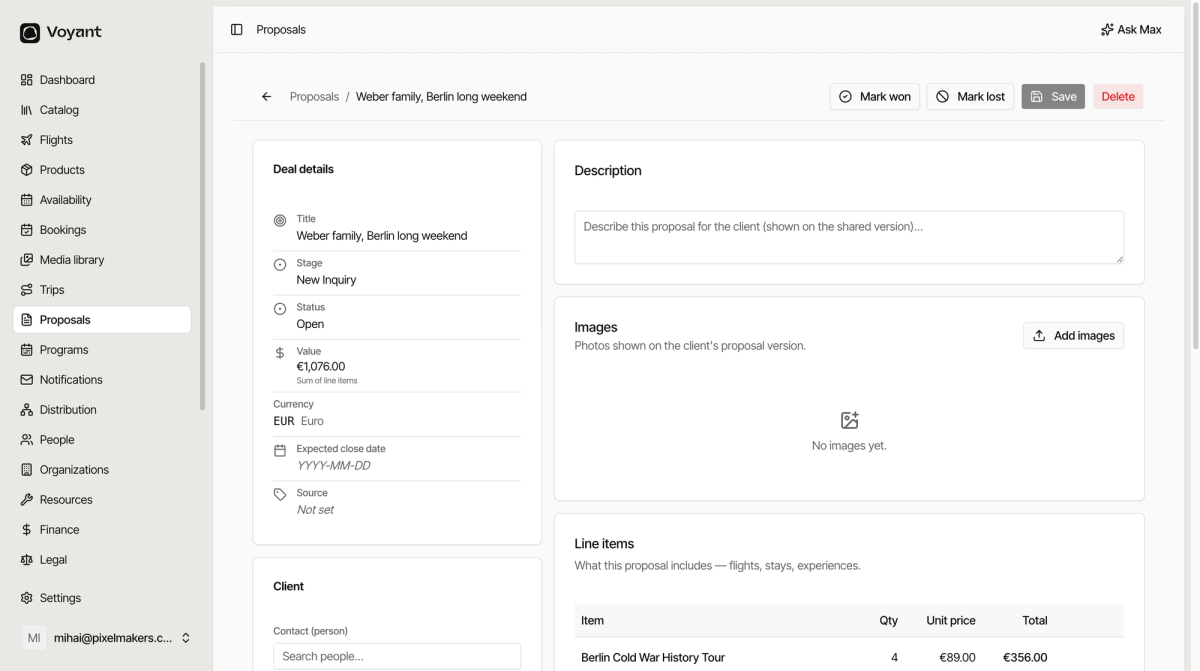
Deal details
The left column is your internal view of the deal.
- Stage is where it sits on the board.
- Status is Open until you win or lose it.
- Value is calculated for you, as the sum of the line items. You do not type it.
- Currency has to be set before prices make sense. Click Add currency and pick one.
- Expected close date is when you think it will land, which is what makes forecasting work.
- Source records where the enquiry came from.
- Owner is the person chasing it.
- Tags are free labels for your own filtering.
The client
Search for the Contact (person), and a Company if you are selling to a business.
Add Travelers separately, because the person paying is not always the person going.
Description and images
These two are what the customer reads. The description is shown on the version you share, and images are the photos on it.
This is where a proposal stops being a spreadsheet and starts being something that sells.
Line items
What the trip includes. Add a name, a quantity and a unit price, then click Add item.
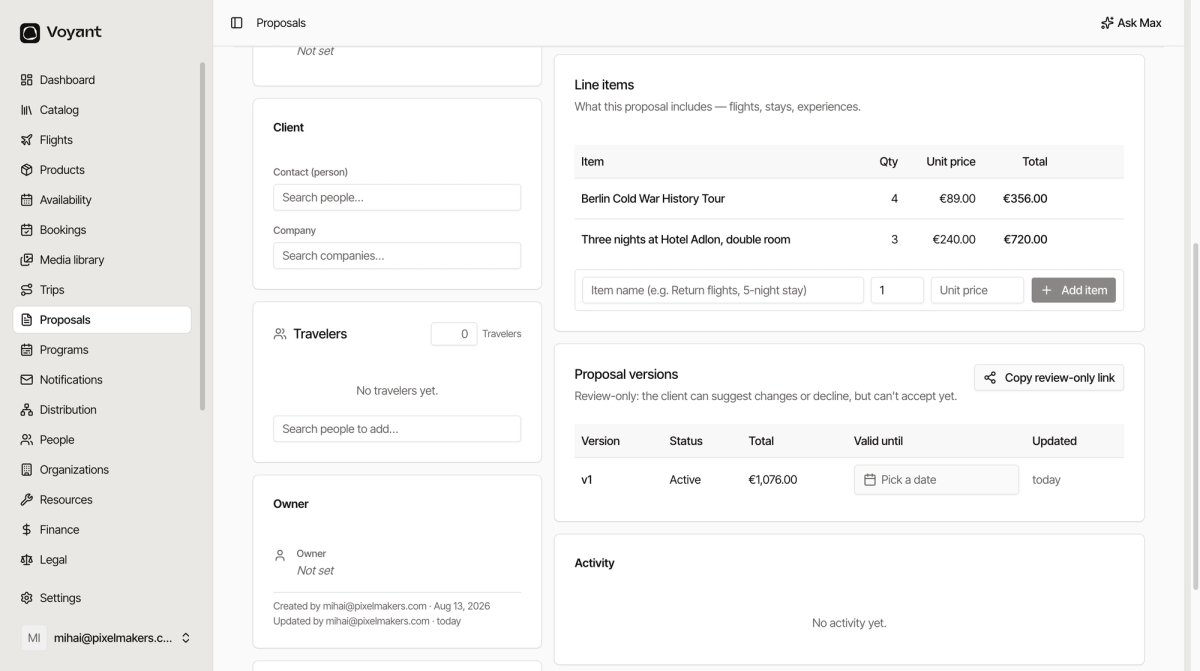
Each row totals itself and the deal value updates as you go. Add a line for each meaningful piece: the tour, the nights, the flights, the transfers.
Use plain names the customer will understand. "Three nights at Hotel Adlon, double room" beats "ACC-3N-DBL".
Save
Click Save at the top when you are done. The button stays greyed out until something has changed.
Did this answer your question?
Thanks for your feedback.