



Sourcing with RFPs
An RFP is a request for proposal you send to venues and suppliers. It is how you get prices before you commit to anything.
You need a venue for four hundred people, a room block for ninety-six, and dinner on the Thursday. You do not know what any of it costs.
An RFP, a request for proposal, is how you ask. You describe what you need, send it to several venues or suppliers, and compare what comes back.
Create an RFP
- Open the program and find Sourcing (RFPs).
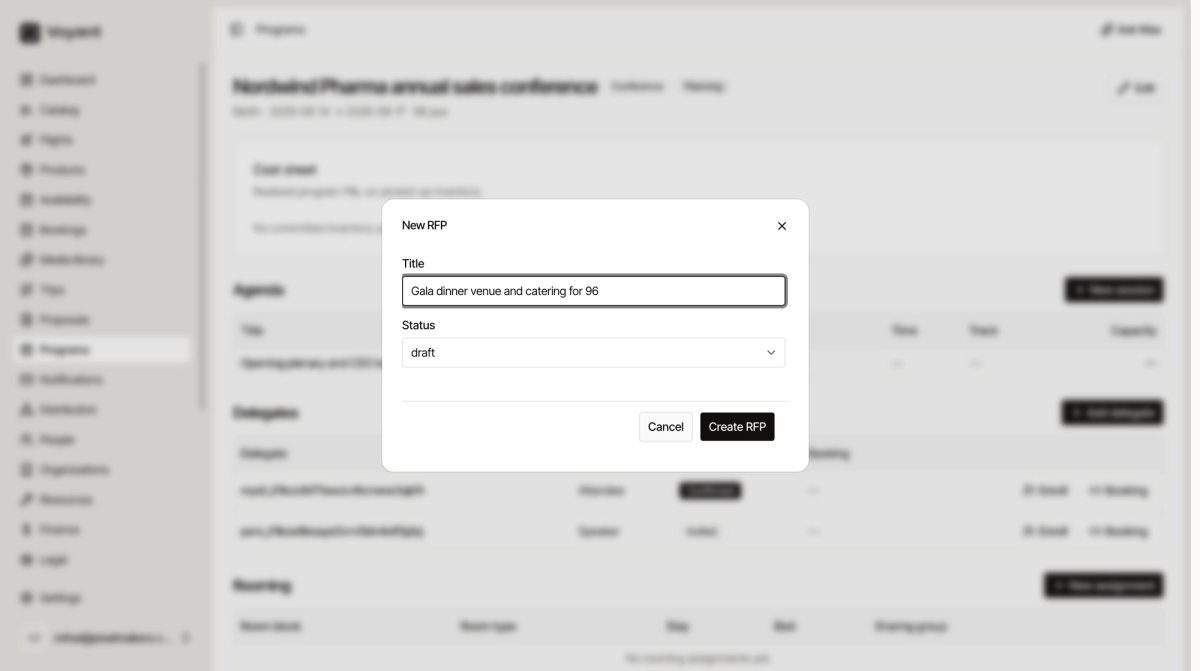
- Click New RFP.
- Give it a Title describing what you are asking for, such as "Venue and 96 room nights, Berlin Mitte".
- Set the Status, which starts at Draft.
- Click Create RFP.
Use Manage on the row to work on it, and set a Due date so suppliers know when you need an answer.
Write RFPs that get useful answers
The quality of the bids you get back depends almost entirely on how specific you were.
- Give exact dates including arrival and departure days.
- Give real numbers, both estimated and confirmed if you have them.
- Say what the space has to do, not just how big it is. "Plenary for 120 theatre style plus three breakouts for 40" beats "a big room".
- State when you need the answer by.
Bids
A bid is a supplier response to your RFP, with their prices, what the offer includes, how long it stands, and any attachments.
Comparing bids is where the margin on a program is made. The cheapest is not automatically the best if it excludes AV, charges separately for the coffee breaks, or holds the space for only ten days.
Did this answer your question?
Thanks for your feedback.