



Move a deal through the stages
Drag cards between columns as the conversation progresses, and close each deal as won or lost.
Move it
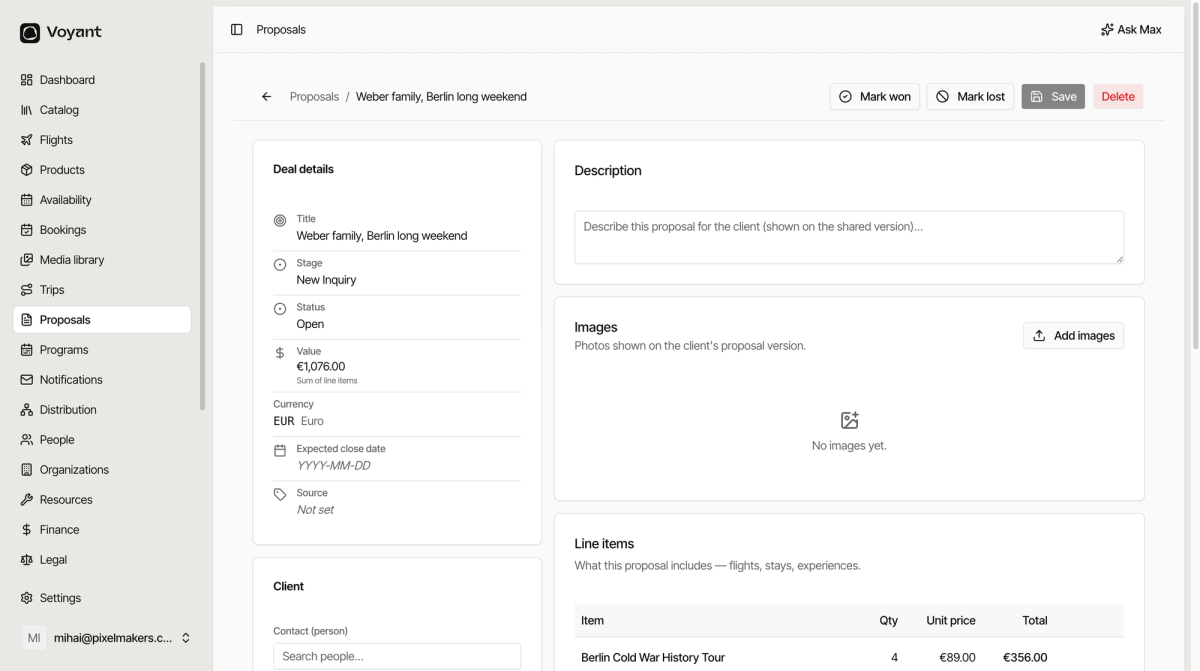
Drag the card from one column to the next. You can also open the proposal and change Stage in the deal details.
The default stages read as a conversation.
- New Inquiry is somebody asked.
- Qualified is they are serious and it is worth your time.
- Proposal Sent is they have your quote.
- Negotiation is you are working through the details.
- Won is they said yes.
- Lost is they did not.
Closing a deal
Two buttons sit at the top of every proposal.
- Mark won closes it as sold.
- Mark lost closes it as not sold.
Both set the status and take the deal out of your open pipeline.
Mark lost deals lost
This is the habit people skip, and it is the one that matters most.
A pipeline full of stale deals nobody chased is worse than no pipeline, because you stop trusting the numbers. If a customer has gone quiet for a month, mark it lost. It costs nothing and you can always reopen.
After winning
Winning a proposal does not create the booking for you. Raise the booking separately so the place is actually held and the money is tracked. See Create a booking by hand.
Did this answer your question?
Thanks for your feedback.