



Add and set up a supplier
Create the supplier, then fill in the contacts, services and availability that make them usable day to day.
Create it
- Click Distribution, then Suppliers, then New Supplier.
- Give the company Name.
- Choose the Type.
- Set the Currency you pay them in.
- Save.
Add a short description while you are there. "Prague guiding agency with castle-district licences and early-access permissions for St Vitus Cathedral" tells a colleague far more than the company name does.
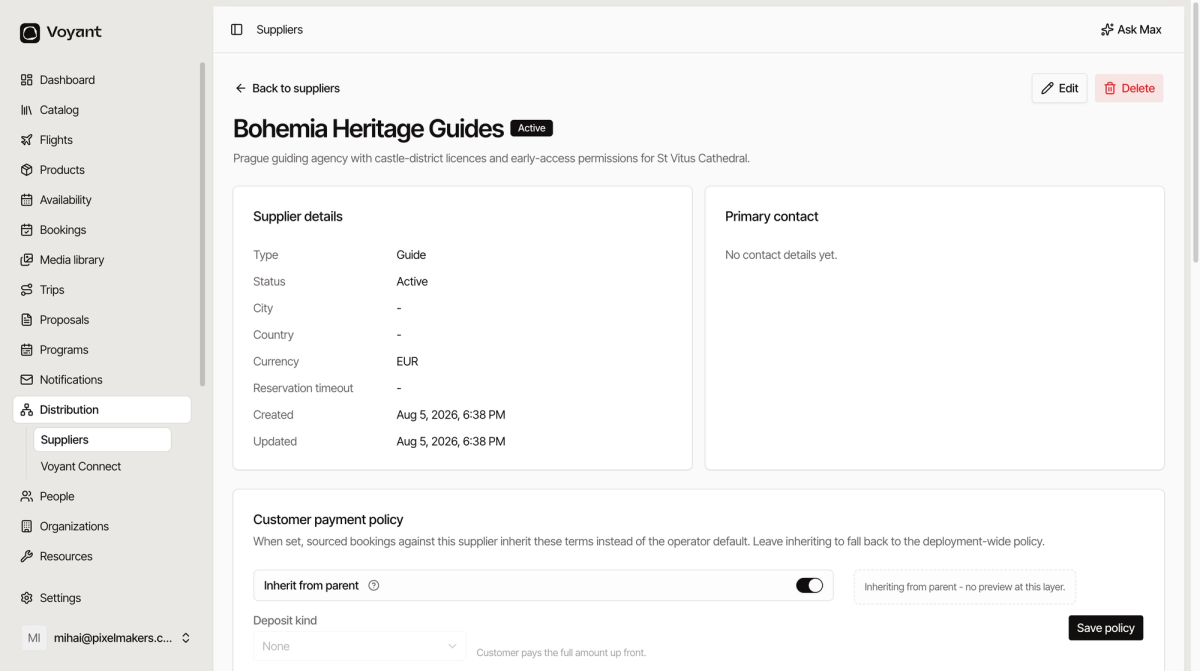
The panels worth filling in
Contacts and contact points
Contacts are named people. Contact points are the ways to reach the company, such as a reservations inbox or an emergency phone line.
Fill in at least one contact point. It is what somebody needs at short notice.
Addresses
Where they are, and where to send paperwork.
Services
What they actually provide, with the operational limits. A service reading "Licensed city guide with castle access, Guide, 4 hours, max 18 pax" tells you what you can sell against it.
Click Add service for each distinct thing they do.
Availability
When they can work. Click Set availability to record the periods they are open to bookings.
Notes
Internal only. This is where the operational reality goes: "Castle security screening adds fifteen minutes; groups meet at the second courtyard."
That kind of note is worth more than most of the structured fields, because it is what stops a group standing in the wrong place.
Did this answer your question?
Thanks for your feedback.