

Families, subtypes, categories and tags
Voyant has four ways to classify a product and they do different jobs. Here is which one to use when.
Voyant Support
There are four ways to label a product. They look similar and they are not. Here is the short version.
Family
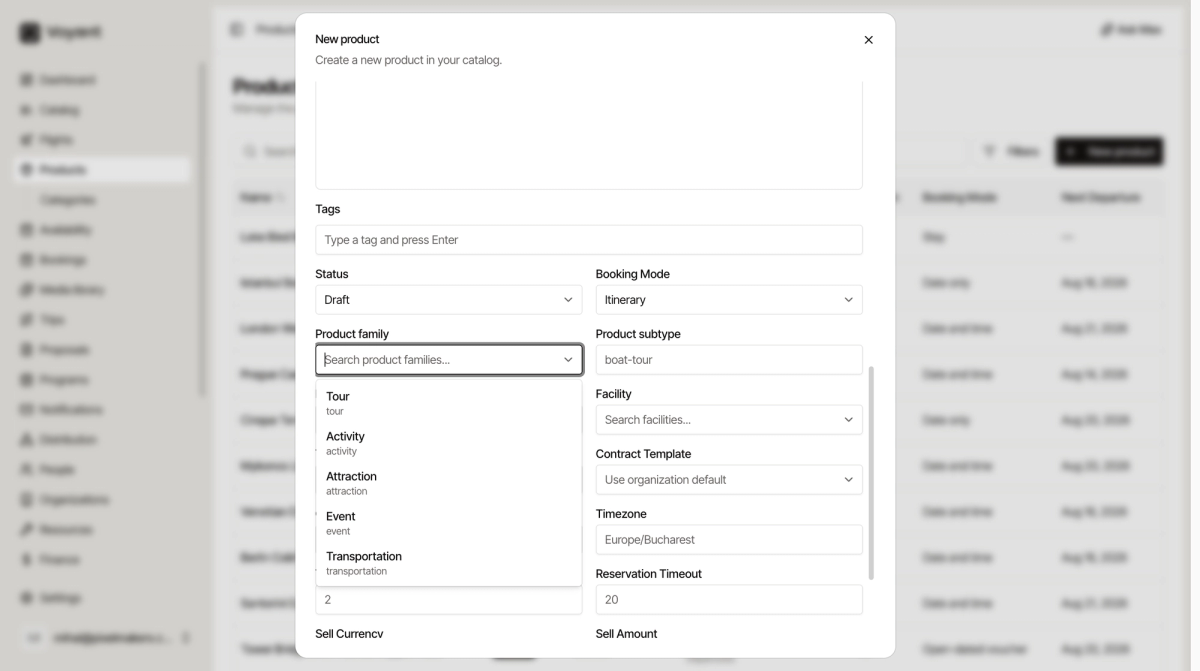
The broad kind of thing it is. You choose one from a fixed list: Tour, Activity, Attraction, Event or Transportation.
A guided city walk is a Tour. A cooking class is an Activity. A museum ticket is an Attraction.
Subtype
An optional, more specific label you type yourself, such as boat-tour or day-tour.
Use it when you want to separate things inside one family. Leave it empty if you do not need it.
Category
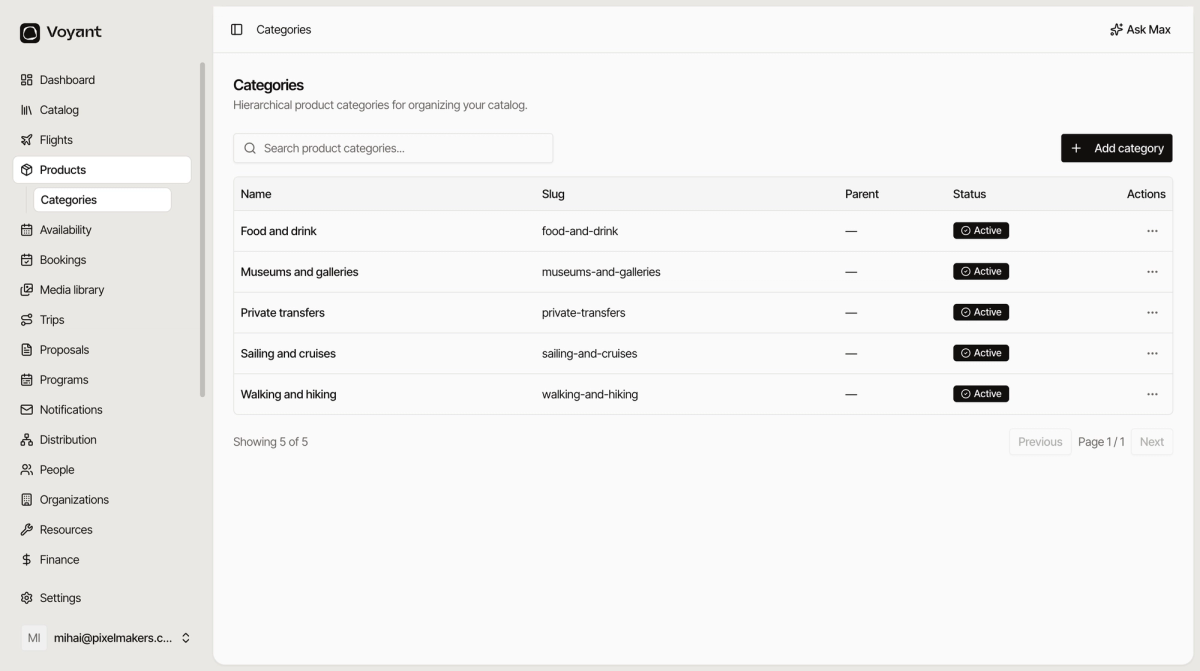
Your own shop-window grouping, and the only one that can nest. Categories are how customers browse.
Examples already set up: Food and drink, Museums and galleries, Private transfers, Sailing and cruises, Walking and hiking.
Manage them under Products then Categories.
Tags
Free labels for your team, such as "Half day", "Small group" or "Wheelchair friendly". Type anything you like.
Which one do I use?
- Choosing what it fundamentally is, use Family.
- Being more precise inside a family, use Subtype.
- Helping customers browse your shop, use Category.
- Labelling things for your own team, use Tags.
Did this answer your question?
Thanks for your feedback.